文档目录
Introduction
1 Product Introduction
1.1 Design Philosophy
1.2 Suitable Users
1.3 Application Scenario
1.4 Accessories Tools
1.4.1 IPS Touch Screen
1.4.2 Backup Battery
1.4.3 Depth camera
2 Product Feature
2.1 Machine Specification
2.2 Control Core Parameter
2.3 Mechanical Structure Parameter
2.4 Electrical Characteristic Parameter
3 User Notes
3.1 Safety Instructions
3.2 Transport and Storage
3.3 Maintenance and Care
4 First Install and Use
4.1 Product Standard List
4.2 Product Unboxing Guide
4.3 Power-on Test Guide
5 Basic Application
5.1 System instruction manual
5.2 ApplicationUse
5.2.1 myblockly
1 Initial Use of myBlockly
2 Control the RGB light panel
3 Control the movement of the car
4 IO Test
5 Q&A
5.2.2 myStudio
1 setup
2 Install driver
3 Flash firmwares
4 Other function
5.2.3 AGV_UI
6 SDK Development
6.1 ApplicationBasePython
6.1.1 Environment Building
6.1.2 Introduction to API
6.2 ApplicationBaseROS2
6.2.1 ROS2 Installation
6.2.2 Using Common ROS2 Tools
6.2.3 Basic Control Based on ROS2
6.2.4 Real-time Mapping with Gmapping
6.2.5 Navigation - Map Navigation
6.2.6 Real-time Mapping with Rtabmap and Navigation
7 Scenario Examples
7.1 Installation Instructions
7.2 myAGV Plus communication and control with robotic arm
7.3 myAGV Plus 270M5 Handle Remote Control Case
8 Documents Download
8.1 Gitbook Download
8.2 Product Drawings
8.3 Software Documentation
8.4 System Information
8.4.1 System Image
8.4.2 Image Burning
8.5 Publicity Material
9 About Us
9.1 Elephant Robotics
9.2 Contact us
Published with GitBook
在这篇文章中:
2.3 Mechanical Structure Parameter
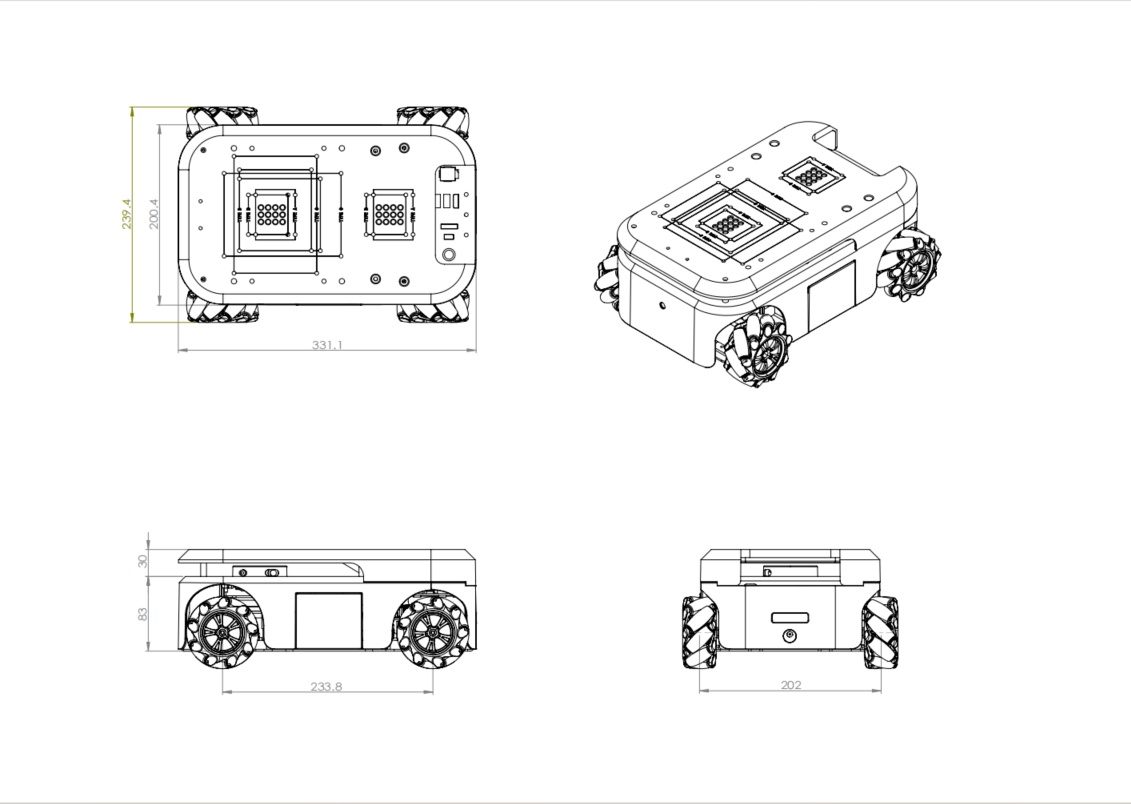
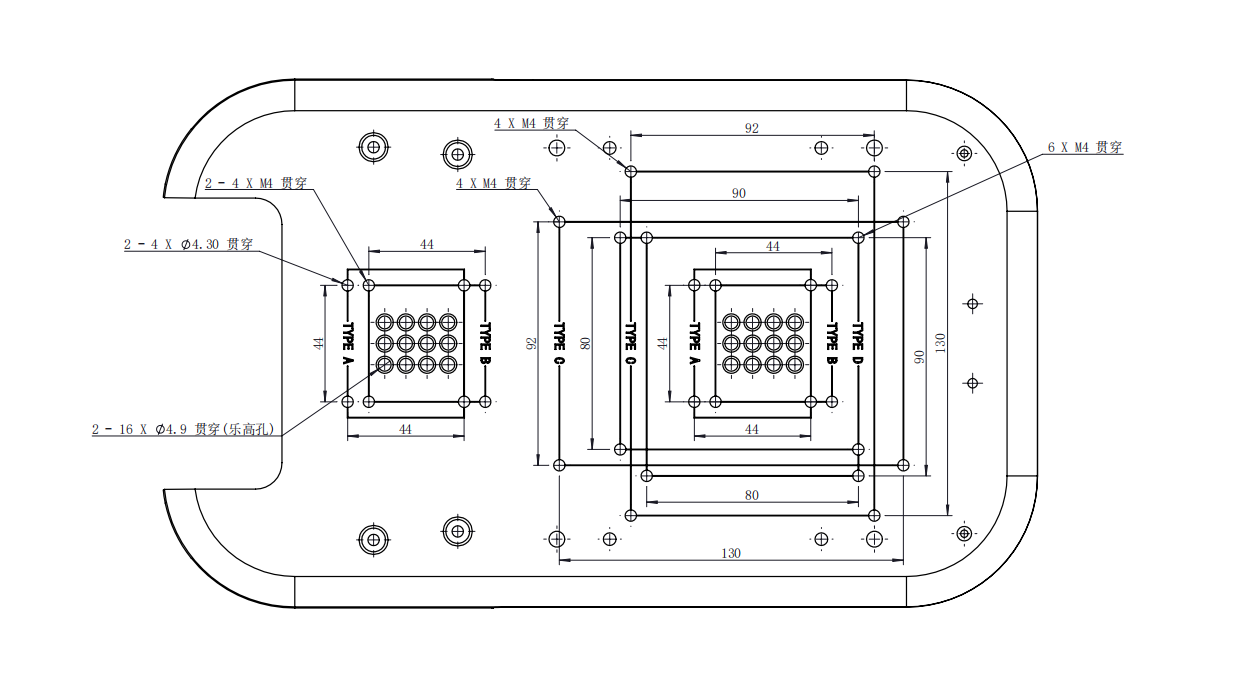
Structural dimension parameter
1 Specifications and Dimensions
2 Hole Mounting
← Previous Page
|
Next Page →
results matching "
"
No results matching "
"