4.1 Basic Edition
4.1.1 Bill of Materials:
| Name | Quantity |
|---|---|
| myAGV Pro Complete Machine | 1 |
| Wireless Controller | 1 |
| USB Cable | 1 |
| Wrench Tool | 1 |
| Product Catalog | 1 |
4.1.2 Windows Quick Start Guide
You need to install the CH340 serial port driver on your computer. Please refer to the following installation instructions:
1.Download CH341SER.EXE
2.Double-click the .EXE application and click the Install button.
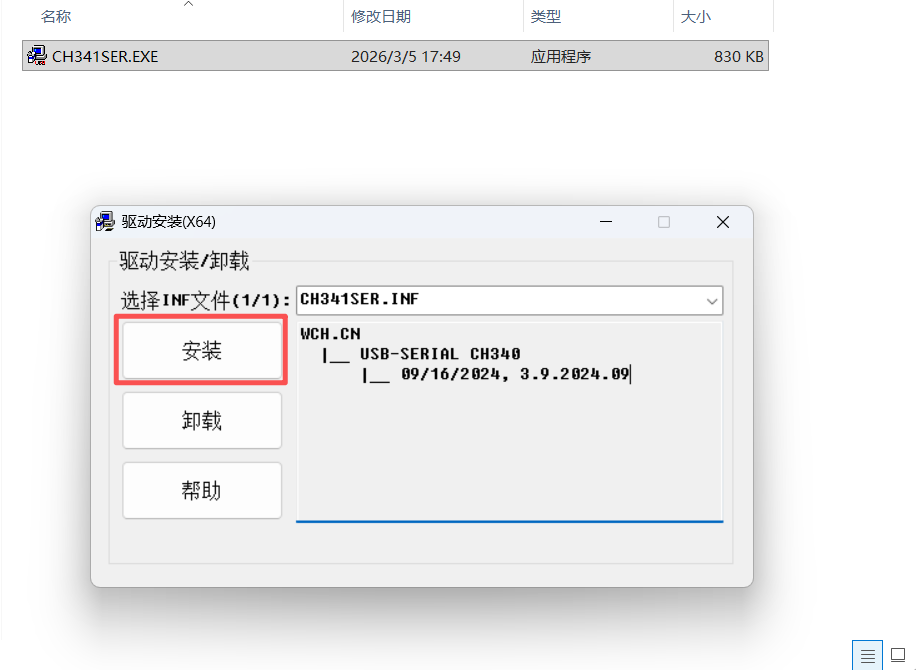
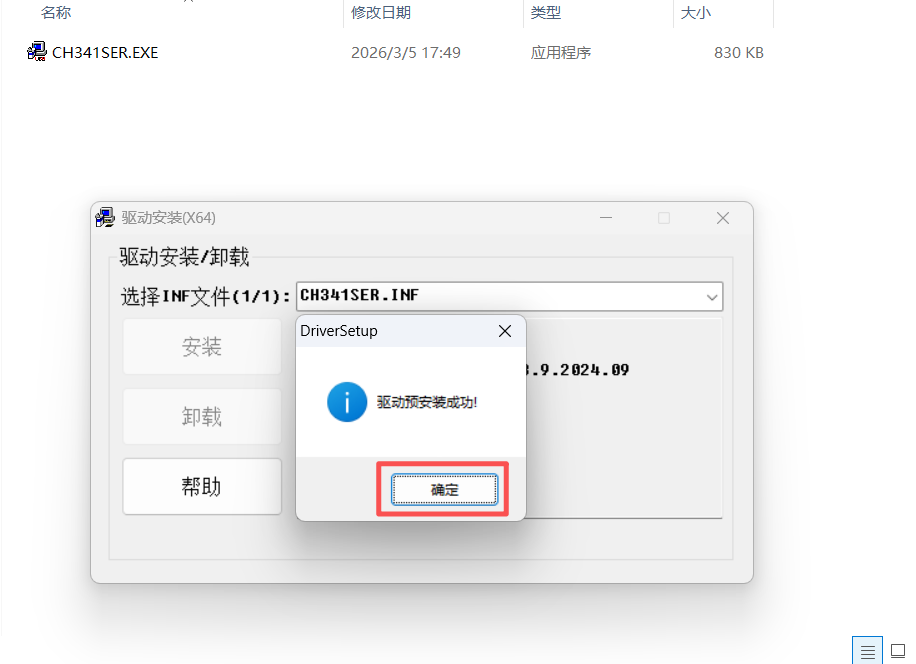
3.Click Confirm after successful installation.
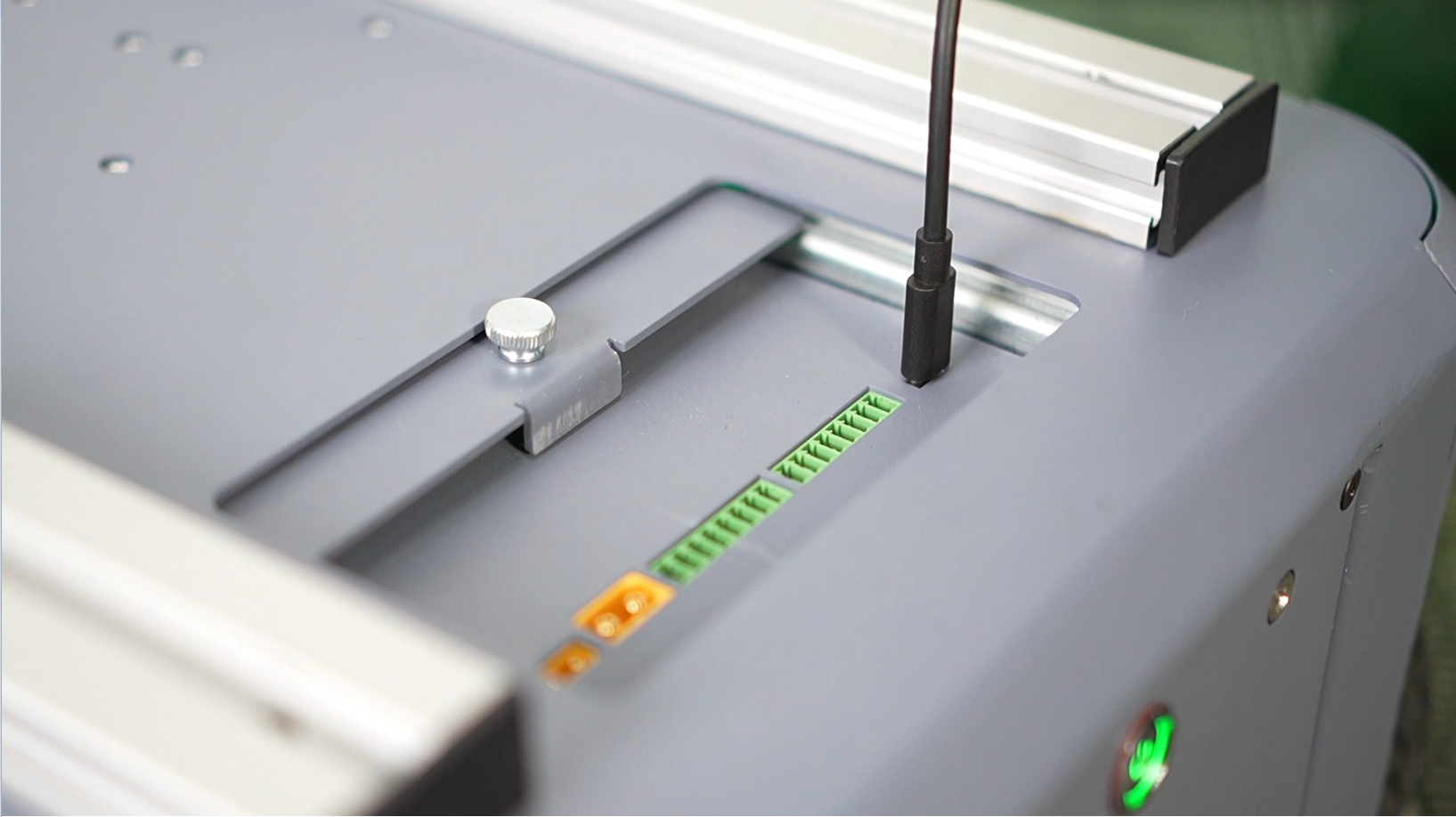
4.Place myAGV Pro on a horizontal plane, open the emergency stop of myAGV Pro, press the power button, and start myAGV Pro
5.Use the TYPE-C cable to connect myAGV Pro and Windows
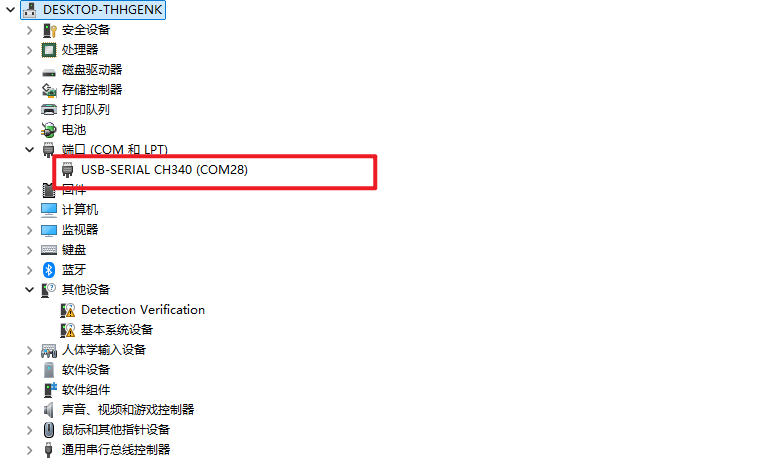
6.Open the PC's device manager and find the USB device of myAGV Pro
7.You need to install the python environment on your computer and install the pymycobot library. For installation methods, please refer to python installation and pymycobot. After configuring the environment, you can perform the following steps:
Create a new example.py file in any directory of Windows and enter the following code
   import time
   from pymycobot import MyAGVPro


   def main():
       agv = MyAGVPro(port="COM28", baudrate=1000000, debug=True)
       if agv.is_power_on() != 1:
             agv.power_on()

       agv.move_forward(0.1)
       time.sleep(2)
       agv.stop()

       agv.move_backward(0.1)
       time.sleep(2)
       agv.stop()

       agv.turn_left(0.1)
       time.sleep(2)
       agv.stop()
       time.sleep(1)

       agv.turn_right(0.2)
       time.sleep(2)
       agv.stop()


   if __name__ == '__main__':
       main()
8.Execute python example.py in the command line, and you can see myAGV Pro start to move
4.1.3 Linux Quick Start Guide
You need to install the CH340 serial port driver on your Linux computer. Please refer to the following installation instructions:
1.Download CH341SER_LINUX.ZIP to the root directory. Alternatively, execute the following terminal commands:
wget https://download.elephantrobotics.com/software/drivers/CH341SER_LINUX.ZIP
2.Execute the following terminal commands to install the driver:
cd CH341SER_LINUX/driver/

make
sudo make load
sudo make install
3.Re-plug the TYPE-C cable. You can search for the device name by entering the following command in the terminal:
ls -l /dev/ttyCH341USB*
If the serial port driver is installed correctly, the device /dev/ttyCH341USB0 will be added.
/dev/ttyCH341USB0
4.You need to install a Python environment and the pymycobot library on your Linux device.
pip install pymycobot
5.Connect the device
Place myAGV Pro on a horizontal plane, open the emergency stop of myAGV Pro, press the power button, and start myAGV Pro
5.Use a TYPE-C cable to connect the myAGV Pro to your Linux device.
6.Create a example.py file in the root directory and enter the following code.
    import time
    from pymycobot import MyAGVPro


    def main():
        agv = MyAGVPro("/dev/ttyCH341USB0", debug=True)
        if agv.is_power_on() != 1:
            agv.power_on()

        agv.move_forward(0.1)
        time.sleep(2)
        agv.stop()

        agv.move_backward(0.1)
        time.sleep(2)
        agv.stop()

        agv.turn_left(0.1)
        time.sleep(2)
        agv.stop()
        time.sleep(1)

        agv.turn_right(0.2)
        time.sleep(2)
        agv.stop()


    if __name__ == '__main__':
        main()
7.Execute python example.py in the command line, and you can see myAGV Pro start to move