Q&A
This chapter lists frequently asked questions about using myStudio Pro to control a robotic arm for your reference.
Q1: When running myBlockly, the error message ModuleNotFoundError: No module named 'pymycobot' appears.
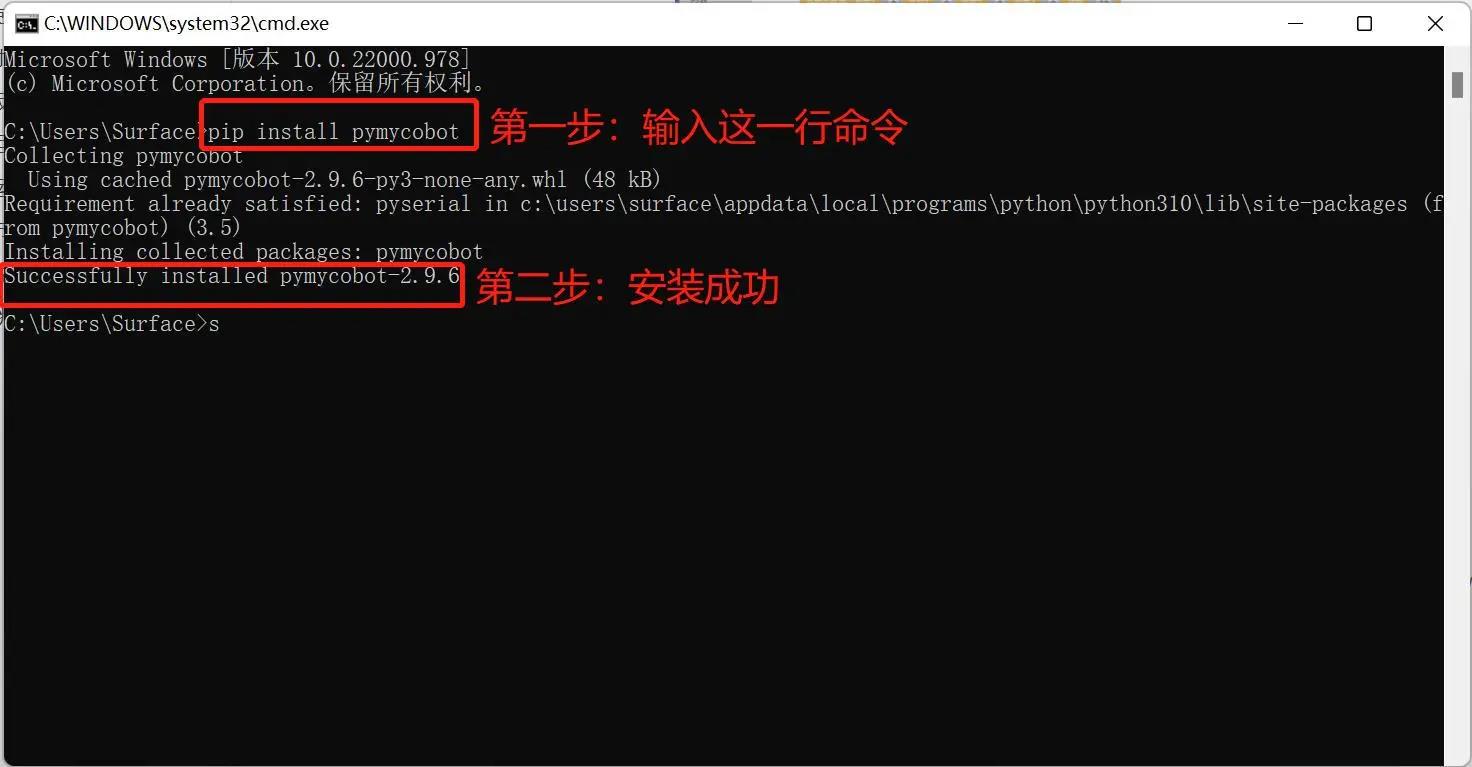
A: This is because the pymycobot library was not installed when setting up the Python environment. To install the pymycobot library, open a terminal (Win key + R key), type pip install pymycobot --upgrade --user and press Enter. You should then see "pymycobot installed successfully".
Q2: The robotic arm is not responding because the sleep method module was not added?
A: The program for operating the robotic arm takes a certain amount of time to complete. Therefore, after completing one action, a sleep module needs to be connected to allow the robotic arm sufficient time before performing the next action (the required time depends on the specific situation and machine; the default setting for the robotic arm is a minimum sleep time of 0.5 seconds when running myBlockly). Otherwise, the robotic arm will not be able to perform the desired actions.
Q3: SSH connection failure
A: This is generally caused by a poor network cable connection. Try unplugging and replugging the network cable from the PC. When the control panel detects the connection (usually as Ethernet), open the Windows command prompt and use the ping command to check. If normal output is available, try connecting via SSH. If the above steps do not solve the problem, try restarting the machine.
Q4: Why does the browser remain in the loading stage or fail to access the IP address?
A: Please ensure your PC and robotic arm are on the same local area network (you can ping the robotic arm's IP address from your PC). Try using a different browser (Chrome/Edge recommended) and refresh the cache (Ctrl + F5).
Q5: Why can't I control the gripper using blocks in myBlockly programming?
A: Please check the F100 force control gripper control method. The myCobotPro 450 gripper requires the modbus control method. Please configure the F100 force control gripper correctly and try again.
Q6: When checking for updates and attempting to download the driver, it shows that the download failed and the file couldn't be successfully downloaded?
A: Before using the "Update Check" function, make sure your robotic arm is connected to the internet. Please note: What is required here is that the robotic arm itself is connected to the network, not the device accessing myStudio Pro. Without internet connection, the software driver cannot be downloaded properly. Additionally, network quality will also affect the function usage. A slower network connection may result in the failure of driver download. To ensure the normal operation of the function, please check the network status in advance.
Q7: After the preview on the Dynamics page is completed and the calibration button is clicked, if the calibration fails during the process?
A: Please ensure that no collision occurs to the equipment during the preview process. If you confirm that there is no error, proceed to re-calibrate. If the problem persists, please contact the after-sales service for a solution.
Q8: Did the software upgrade fail during the upgrade process?
A: Please ensure that the robotic arm is powered on properly during the upgrade process. Then try to upgrade again. If the upgrade fails in all cases, please contact the after-sales service for a solution.