Calibration
In the Program interface, select the Calibration function by clicking the asterisk (*), and press the C key to enter the Calibration function. The end LED strip in this interface and its sub-interfaces will remain constantly lit with a green light.
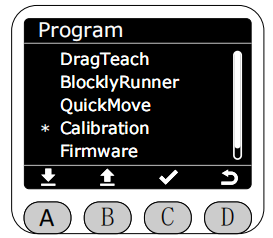
After entering the Calibration function, you can select the joint you want to calibrate using the A and B keys.
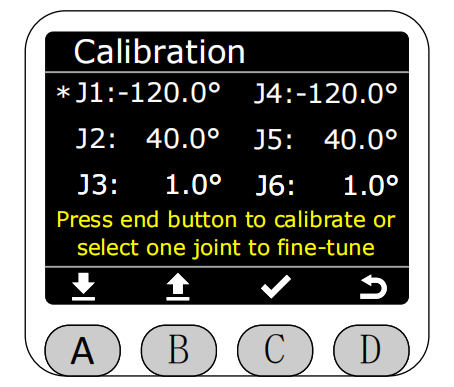
Once selected, the selected area will be highlighted in reverse. The selected joint can then be rotated using the A and B keys. A short press moves the step angle by 0.1°, while a long press is supported. After moving to the desired zero position, press the C key to save. The corresponding joint angle data on the screen will then change to 0°.
