Firmware
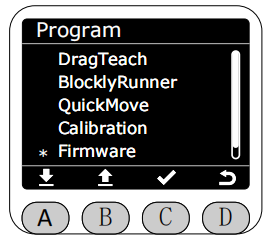
In the Program interface, select the Firmware function by marking the asterisk (*), and press the C key to enter the Firmware function.
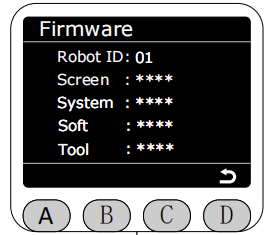
After entering the Firmware function, all version information for the current robotic arm will be displayed.
RobotID corresponds to the unique identifier of the robotic arm, used to distinguish different robotic arms.
Screen corresponds to the MiniRobot version.
System corresponds to the system version.
Soft corresponds to the myStudio Pro version + motion control version (e.g., 1.0.1 + 1.0.2 + 1.0.3 = 1.101.102.103).
Tool corresponds to the end effector version.