Configuration
pymycobot is a Python package used for serial communication with the robot. It supports Python 2, Python 3.5, and higher versions.
Before using pymycobot, please make sure the Python environment is properly set up. Follow the steps below to install Python.
1 Download and Install Python
Currently, there are two main versions of Python: 2.x and 3.x. These two versions are incompatible with each other. This section uses version 3.x as an example since it is the modern standard.
1.1 Install Python
The Plus version comes with an Ubuntu (V-22.04) operating system and a built-in Python development environment, so there is no need to manually build or manage it.
2 Preparation
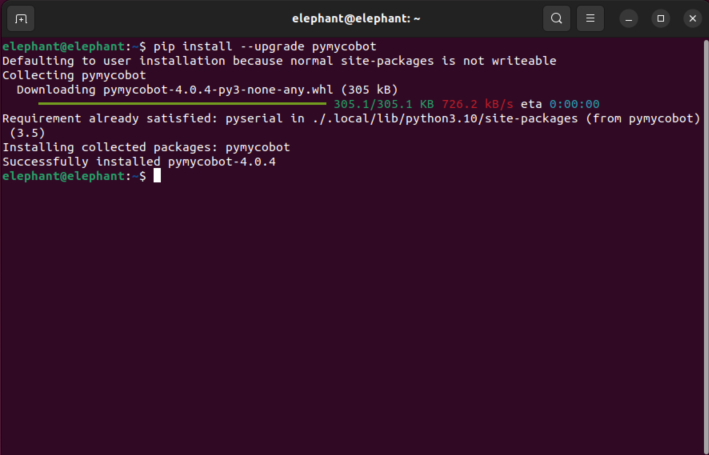
Enter the following command in the terminal to install or update the package (it is highly recommended to keep it up to date for full underlying hardware compatibility):
pip install --upgrade pymycobot
3 Simple Demo
Create a new Python file named move_agv.py and enter the following code:
from pymycobot.myagvplus import MyAGVPlus
import time

# Initialize the MyAGVPlus object
# Note: The chassis motor serial port (motor_port) and the underlying ESP32 status serial port (esp32_port) depend on your actual device setup.
# The default configuration already supports multi-threading stall protection and automatic undervoltage monitoring.
agv = MyAGVPlus('/dev/myagvplus_controller', baudrate=921600, esp32_port='/dev/ttyACM0', esp32_baud=115200, debug=True)

# Power on the robot
# Calling this API will automatically turn on the relay power and enable the motors. It includes a built-in safety wait time of about 6 seconds to ensure the DJI DM motors start up and dual communication is successfully established.
agv.power_on()

# Set the movement speed (supported speed range is 0.01 to 1.60 m/s)
speed = 0.5

print("Move forward")
agv.move_forward(speed)
time.sleep(2)  # Run for 2 seconds
agv.stop()
time.sleep(0.5)

print("Move backward")
agv.move_backward(speed)
time.sleep(2)
agv.stop()
time.sleep(0.5)

print("Move left lateral")
agv.move_left_lateral(speed)
time.sleep(2)
agv.stop()
time.sleep(0.5)

print("Move right lateral")
agv.move_right_lateral(speed)
time.sleep(2)
agv.stop()

# After running, safely turn off the robot power and disable the motors (to prevent excessive power drain or overheating)
agv.power_off()
4 Run the Example File
python3 move_agv.py
By default, this example script controls the AGV to move in four different directions for 2 seconds each.
If a red terminal warning BACKGROUND VOLTAGE DETECTED! appears during operation, it indicates that a low battery state (<19.0V) has been detected. To protect the hardware, the current movement will be forcibly intercepted and the motors will be locked.