Control the RGB light panel
Make sure the machine is working before starting
The machine has been powered on.
The learning content of this chapter
How to control the RGB light board using myBlockly
API Introduction
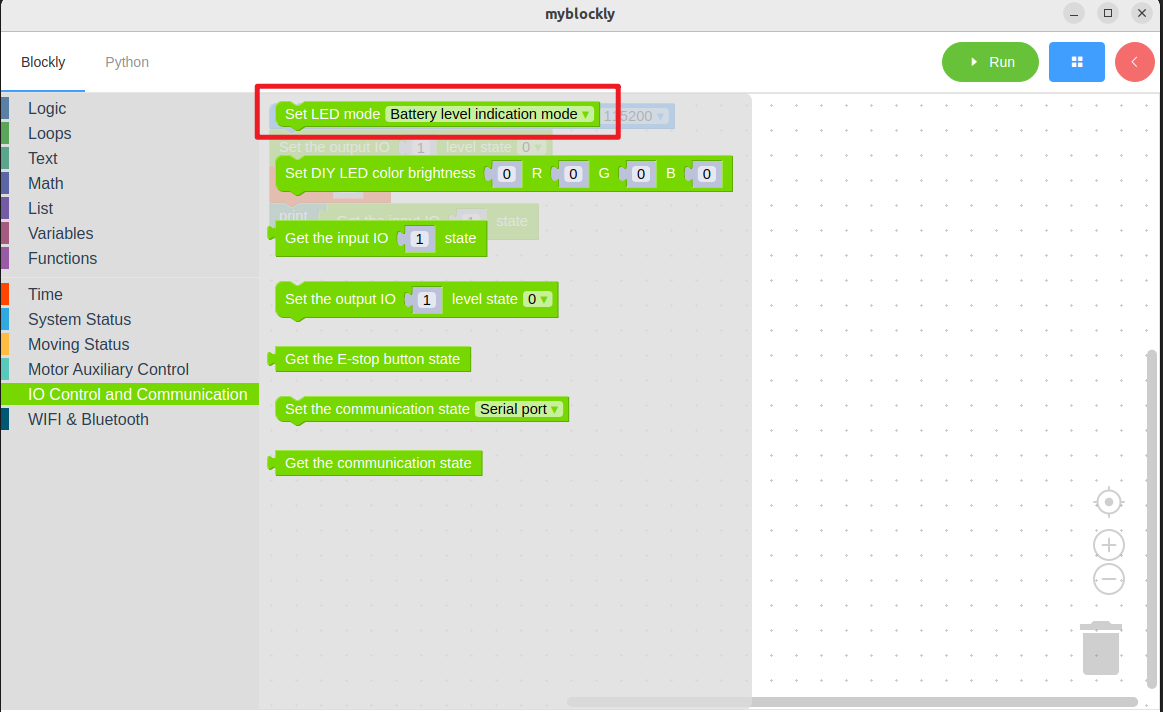
Method module: 1. Set LED mode
Method Module: 2. Set the color of DIY LED
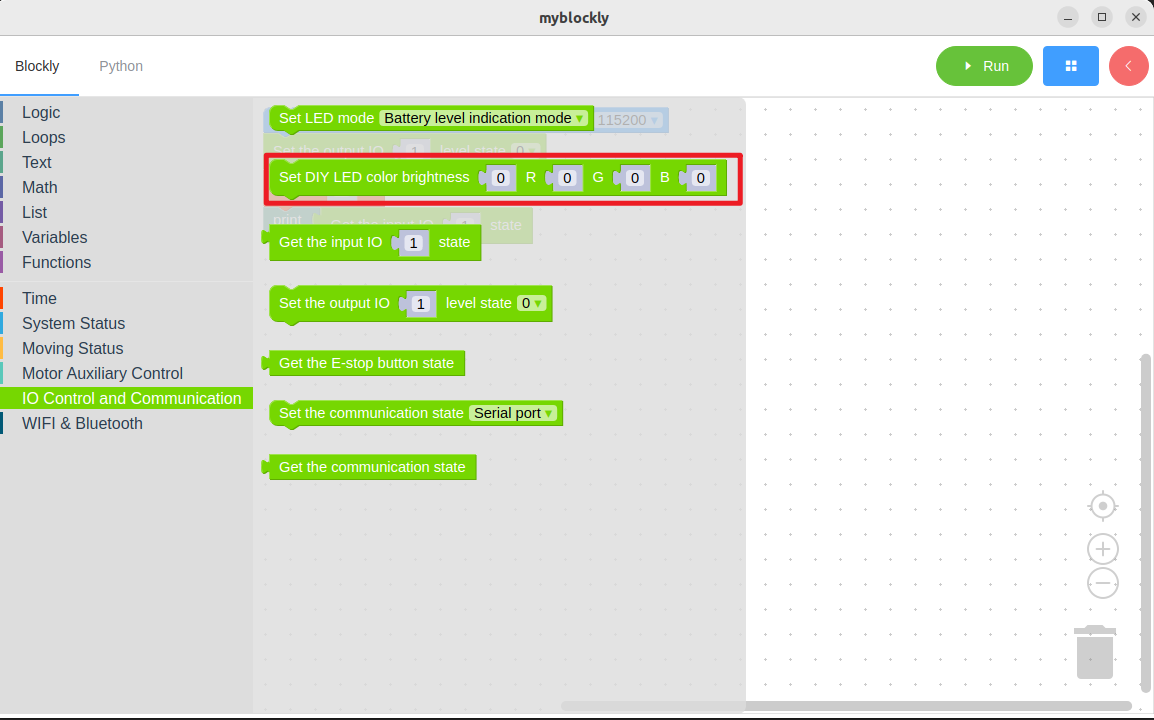
Parameter Introduction:
The parameters that need to be set are brightness, R(x), G(x), and B(x). Different values represent different colors.
Parameter range (for details, please refer to the RGB parameter table)
Objective: To control the color of the RGB light panel
Simple demonstration
The graphic code is as follows:
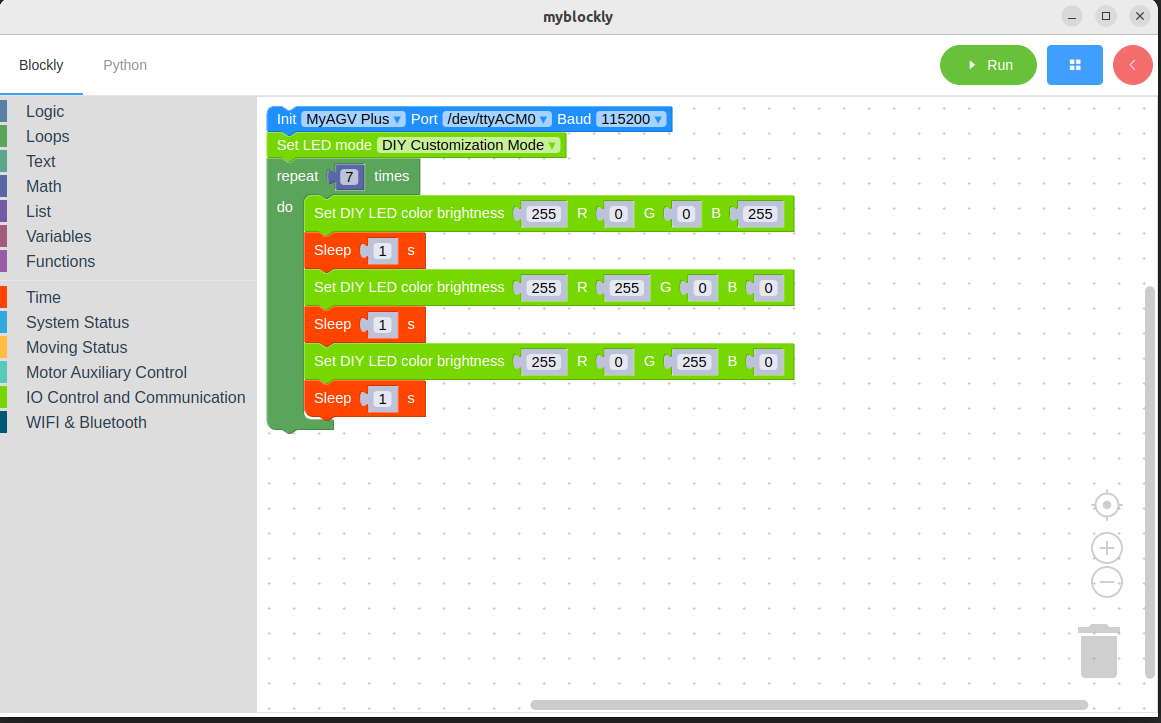
The content to be achieved:
Set the LED mode to the DIY custom mode. Control the color of the mechanical RGB light panel to change in the sequence of "blue-red-green", and this process will repeat seven times.
End the program..