Firmware
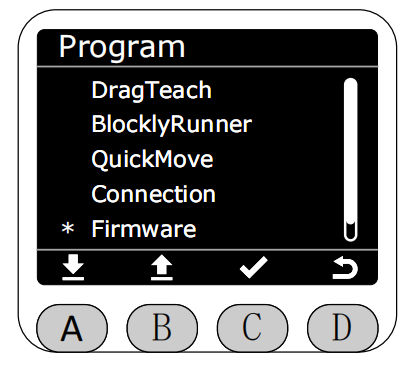
In the Program interface, select the Firmware function with the asterisk, then press button C to enter Firmware function.
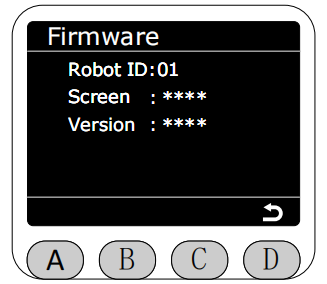
After entering Firmware function, it will display all version information of the current robotic arm. RobotID corresponds to the robotic arm's unique identifier, used to distinguish different robotic arms. Display corresponds to MiniRobot version. Version corresponds to system version (will display obtaining upon entry, displays corresponding main controller version after successful obtain).