ultraArmP1 Block Description
The following is an explanation of the functions, uses and usage methods of the building blocks.
1 Movement
The following is an introduction to the building blocks of the Movement category.
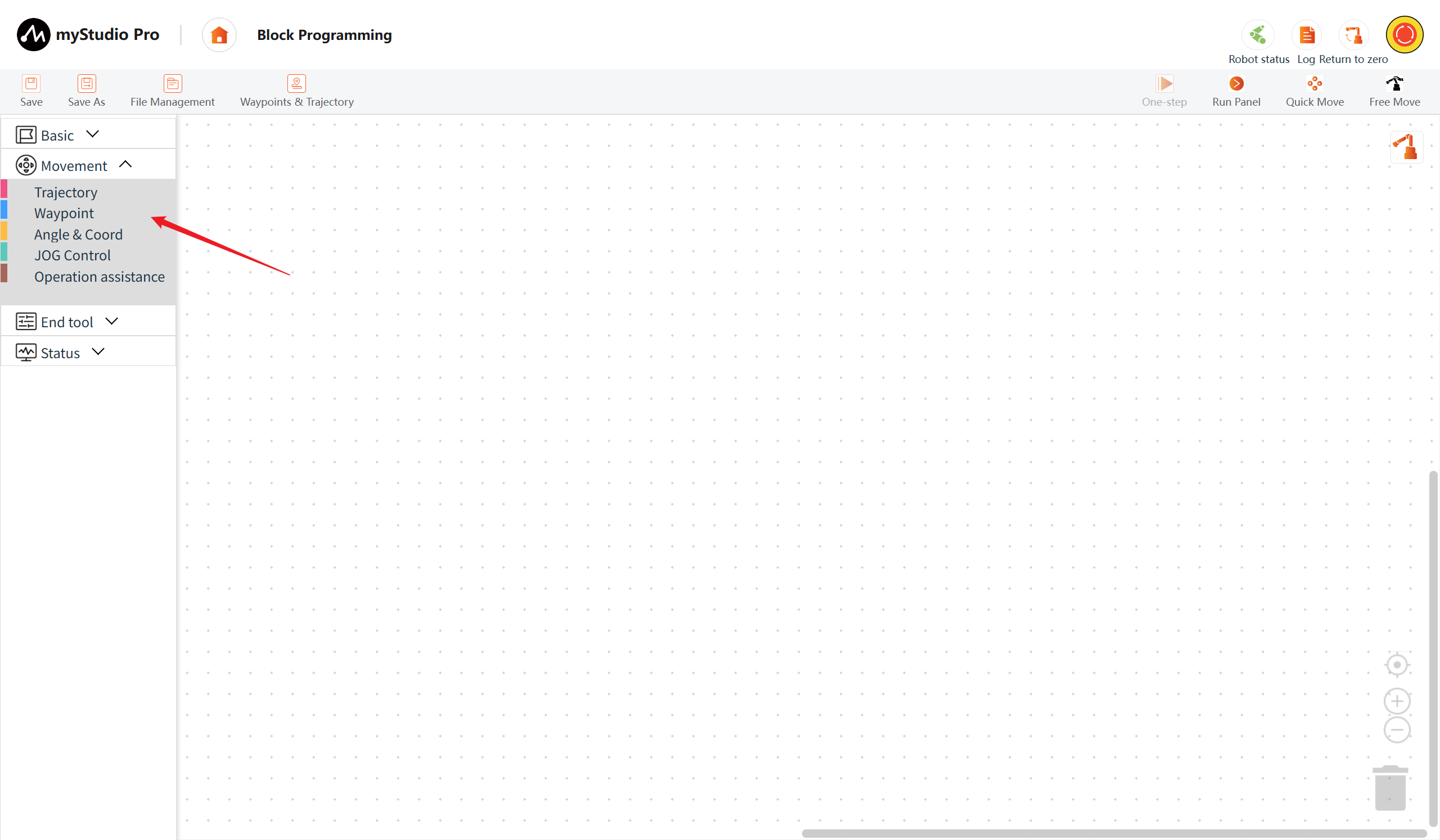
1.1 Trajectory
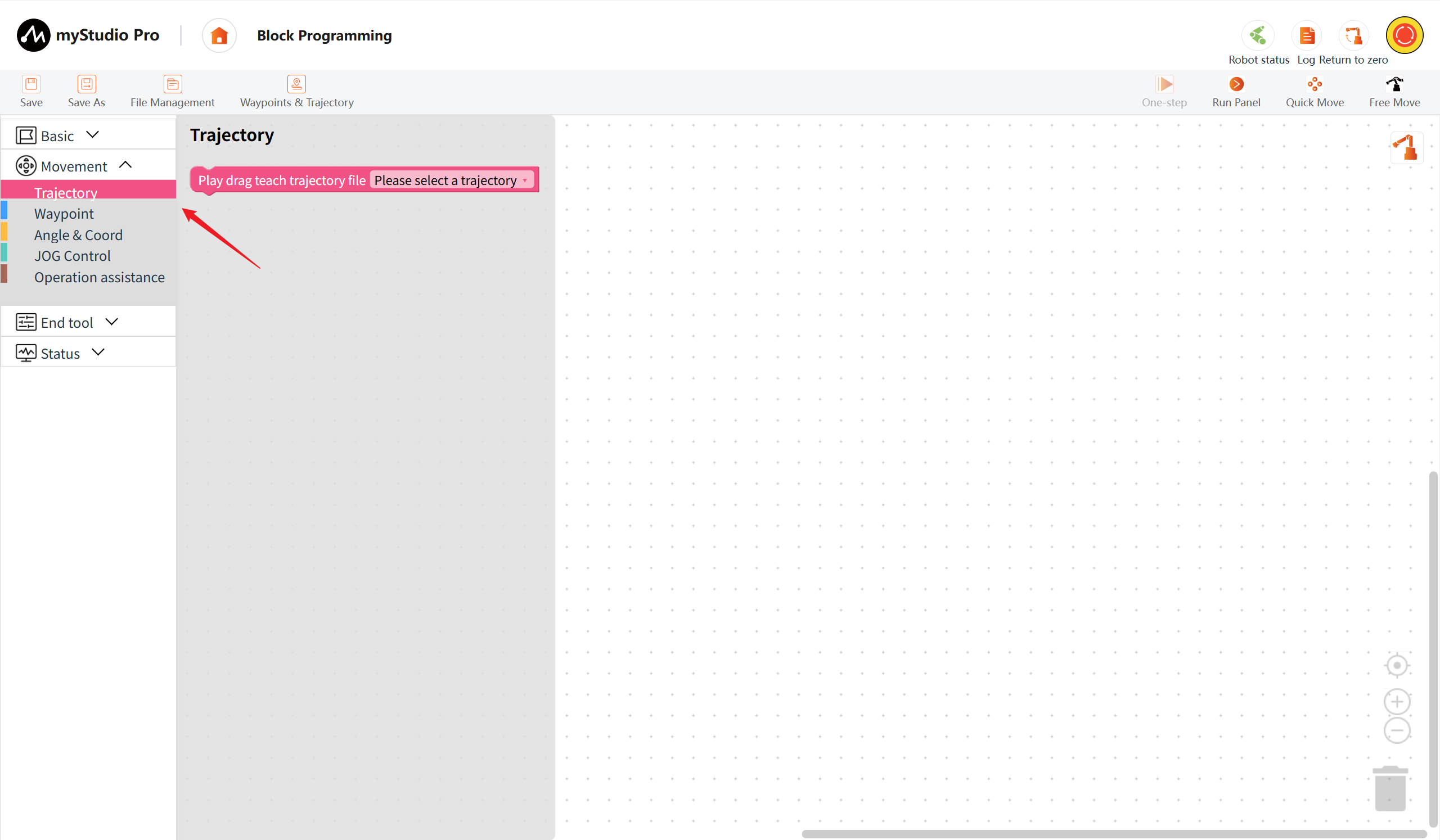
Play drag teach trajectory file
Function: Select and play a saved drag teach trajectory.
Parameters: Trajectory file: select from the current trajectory list.
1.2 Waypoint
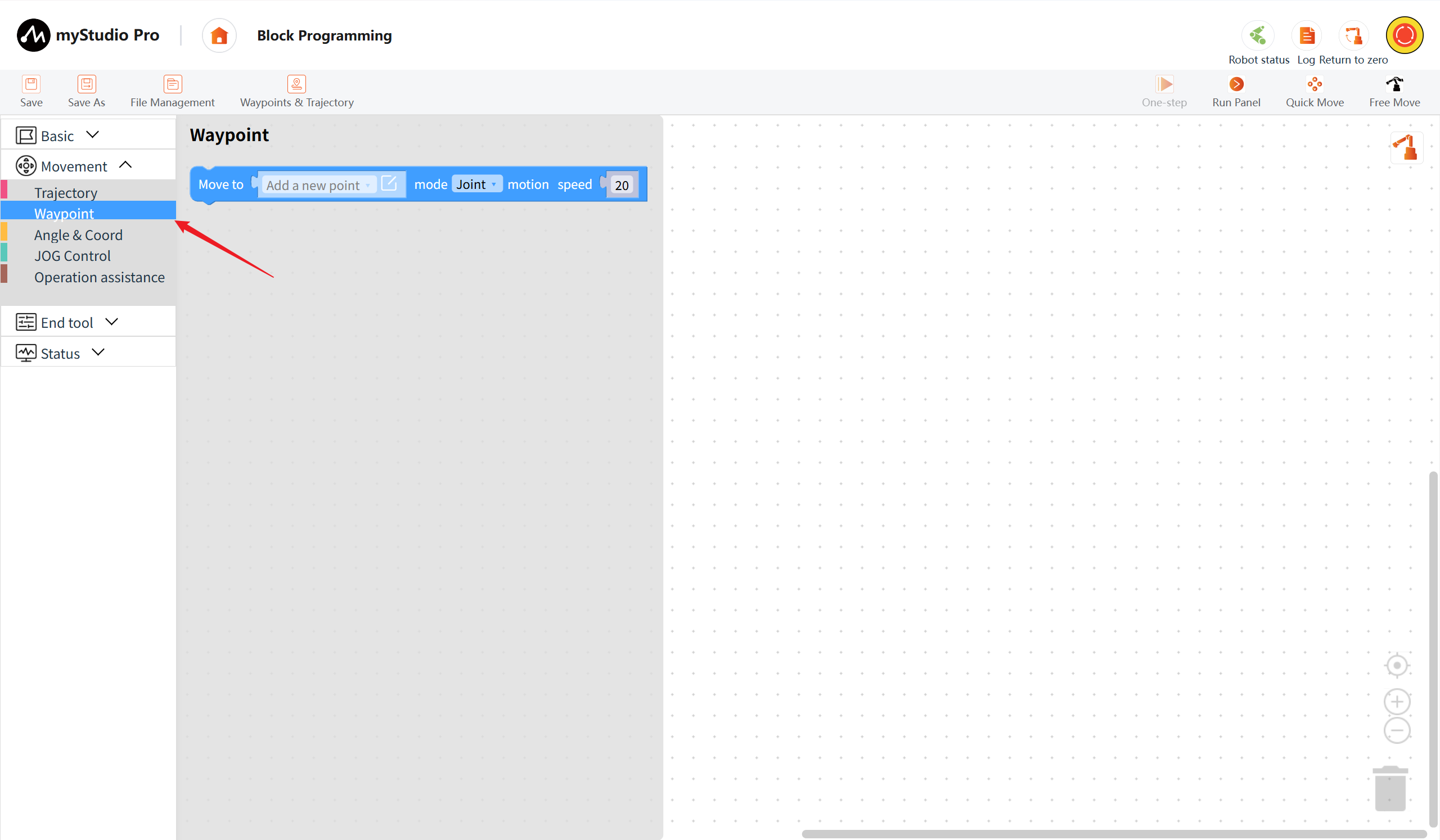
Move to waypoint
Function: Move the robotic arm to the selected waypoint with the specified motion mode and speed.
Parameters: Waypoint: select from the current waypoint list; Mode: Joint motion, Linear motion; Speed: 1–100.
1.3 Angle & Coord
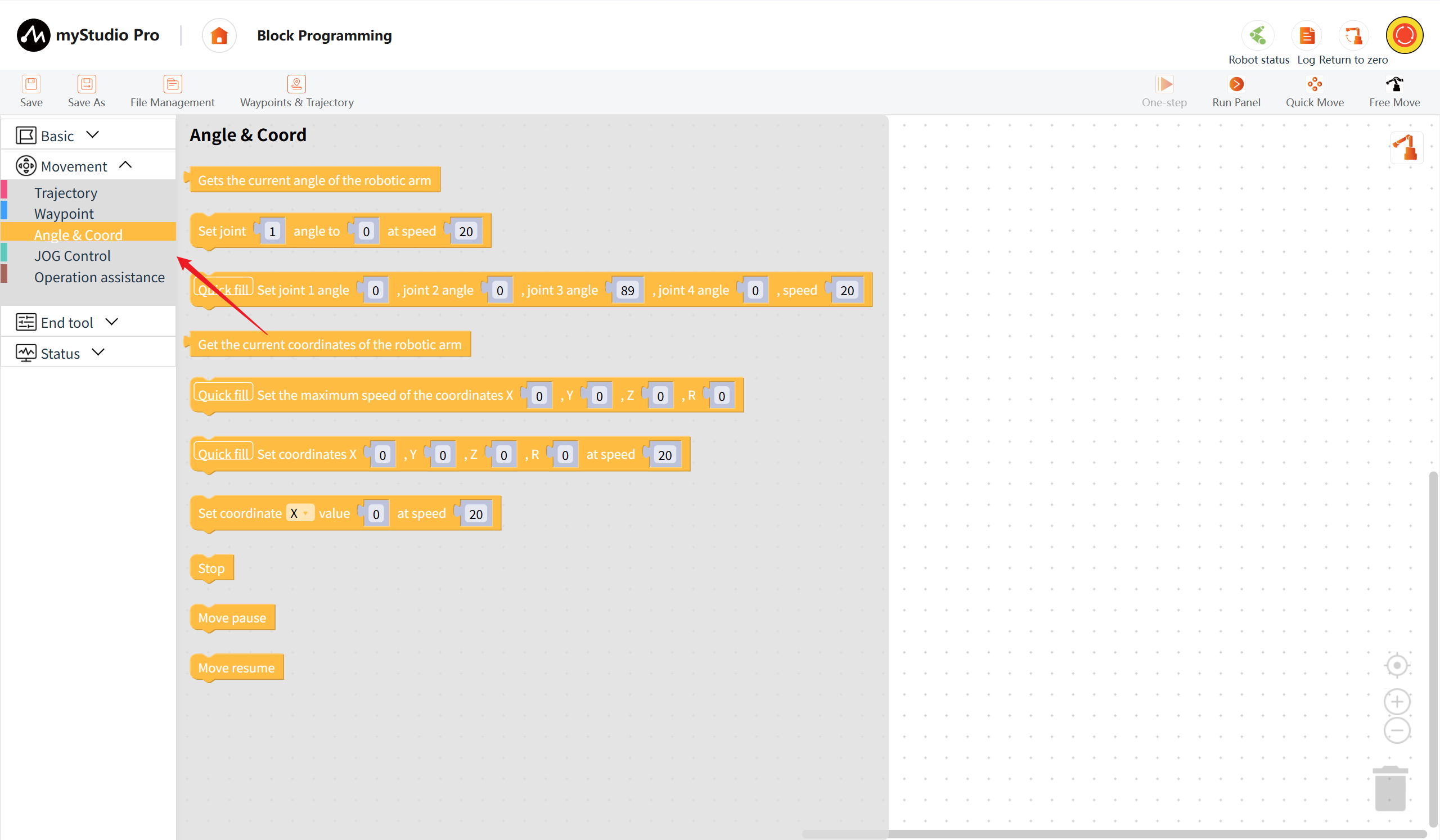
Get the current angle of the robotic arm
Function: Read the current joint angles of the robotic arm.
Parameters: None.
Return value: list, a floating-point angle list for the four joints: [J1, J2, J3, J4].
Set joint angle
Function: Move the specified joint to the target angle at the set speed.
Parameters: Joint: 1–4; Angle: Joint 1 -165°–165°, Joint 2 -18°–85°, Joint 3 89°–200°, Joint 4 -179°–179°; Speed: 1–100.
Return value: Returns ok in closed-loop mode and 1 in open-loop mode.
Set all joint angles
Function: Move all four joints to their target angles at the set speed. Supports quick fill of the current angles.
Parameters: Joint 1 angle: -165°–165°; Joint 2 angle: -18°–85°; Joint 3 angle: 89°–200°; Joint 4 angle: -179°–179°; Speed: 1–100.
Return value: Returns ok in closed-loop mode and 1 in open-loop mode.
Get the current coordinates of the robotic arm
Function: Read the current X, Y, Z, and R coordinates of the robotic arm.
Parameters: None.
Return value: list, a coordinate list of length 4: [X, Y, Z, R].
Set coordinates at maximum speed
Function: Move the robotic arm to the specified coordinates at maximum speed. Supports quick fill of the current coordinates.
Parameters: X: -350–362.43; Y: -362.43–362.43; Z: -186.265–93.44; R: -180°–180°.
Return value: Returns ok in closed-loop mode and 1 in open-loop mode.
Set coordinates
Function: Move the robotic arm to the specified X, Y, Z, and R coordinates at the set speed. Supports quick fill of the current coordinates.
Parameters: X: -350–362.43; Y: -362.43–362.43; Z: -186.265–93.44; R: -180°–180°; Speed: 1–100.
Return value: Returns ok in closed-loop mode and 1 in open-loop mode.
Set a single coordinate
Function: Move the specified coordinate axis to the target value at the set speed.
Parameters: Coordinate axis: X, Y, Z, R; Target value: X -350–362.43, Y -362.43–362.43, Z -186.265–93.44, R -180°–180°; Speed: 1–100.
Return value: Returns ok in closed-loop mode and 1 in open-loop mode.
Stop
Function: Stop the current motion of the robotic arm.
Parameters: None.
Return value: ok.
Move pause
Function: Pause the current motion of the robotic arm.
Parameters: None.
Return value: ok.
Move resume
Function: Resume the current motion of the robotic arm.
Parameters: None.
Return value: ok.
1.4 JOG Control
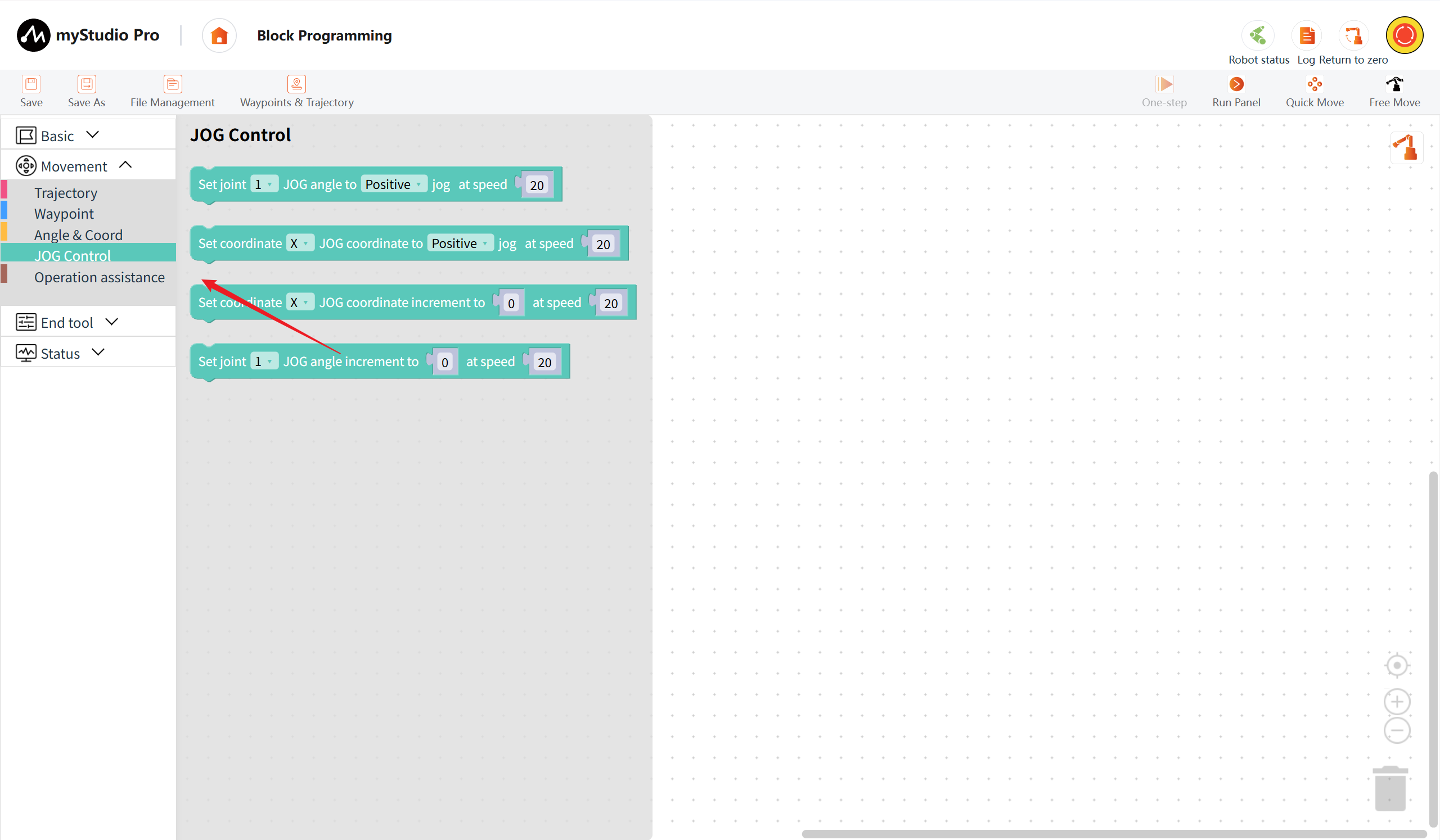
Set joint JOG angle motion
Function: Continuously jog the specified joint in the selected direction at the set speed.
Parameters: Joint: 1–4; Direction: Positive jog, Negative jog; Speed: 1–100.
Return value: Returns ok in closed-loop mode and 1 in open-loop mode.
Set coordinate JOG motion
Function: Continuously jog the specified coordinate axis in the selected direction at the set speed.
Parameters: Coordinate axis: X, Y, Z, R; Direction: Positive jog, Negative jog; Speed: 1–100.
Return value: Returns ok in closed-loop mode and 1 in open-loop mode.
Set coordinate JOG increment motion
Function: Move the specified coordinate axis by the set increment at the set speed.
Parameters: Coordinate axis: X, Y, Z, R; Increment: X -350–362.43, Y -362.43–362.43, Z -186.265–93.44, R -180°–180°; Speed: 1–100.
Return value: Returns ok in closed-loop mode and 1 in open-loop mode.
Set joint JOG angle increment motion
Function: Move the specified joint by the set angle increment at the set speed.
Parameters: Joint: 1–4; Increment: Joint 1 -165°–165°, Joint 2 -18°–85°, Joint 3 89°–200°, Joint 4 -179°–179°; Speed: 1–100.
Return value: Returns ok in closed-loop mode and 1 in open-loop mode.
1.5 Operation assistance
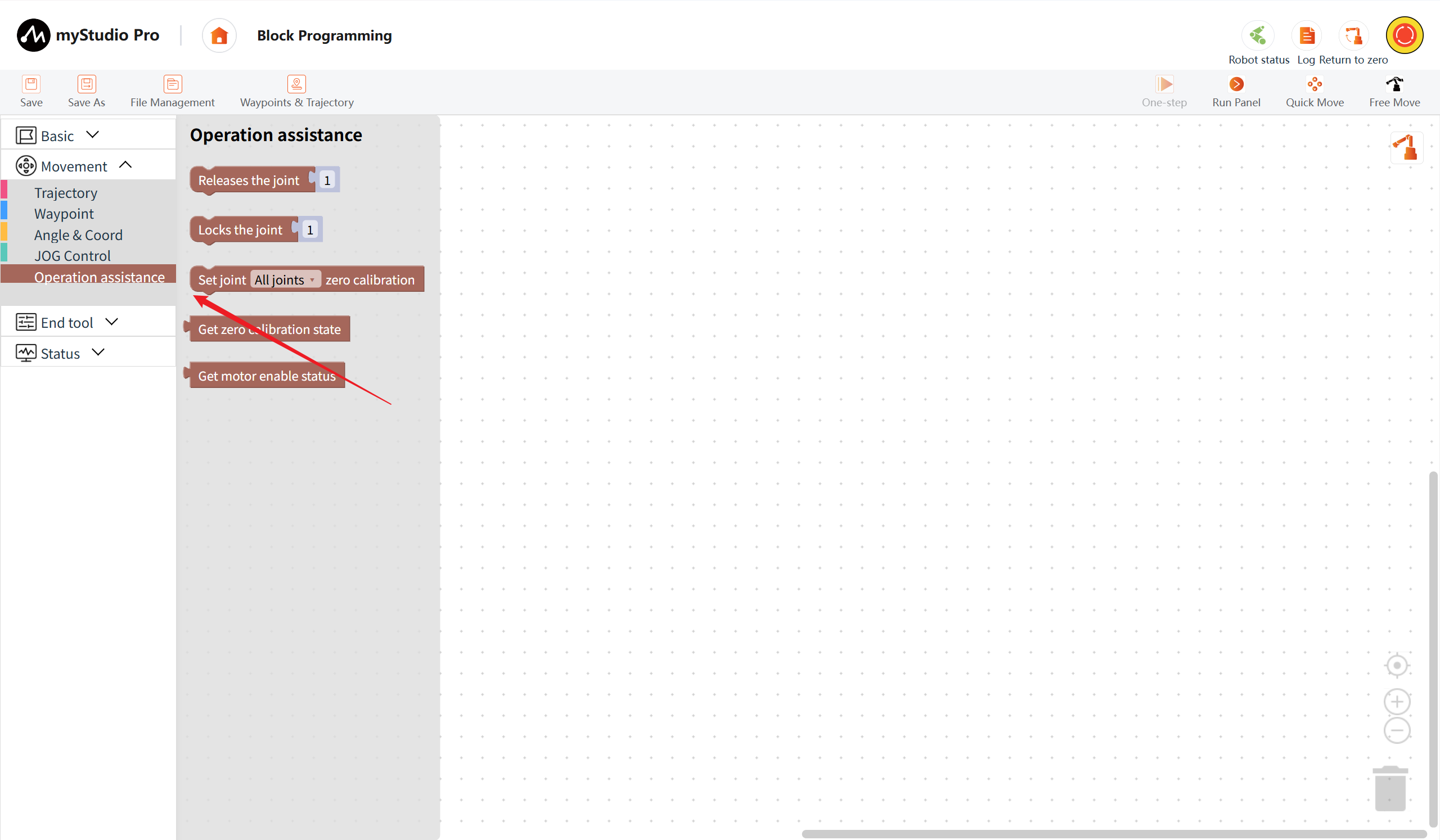
Release joint
Function: Disable the motor of the specified joint so it can be moved manually.
Parameters: Joint: 1–4.
Return value: ok.
Lock joint
Function: Enable the motor of the specified joint to keep it locked.
Parameters: Joint: 1–4.
Return value: ok.
Set PWM control
Function: Set the PWM control level of the robotic arm.
Parameters: PWM control value: 0–5.
Return value: None.
Set joint zero calibration
Function: Set the current position of the specified joint as the zero position.
Parameters: Joint: All joints, Joint 1, Joint 2, Joint 3, Joint 4.
Return value: ok.
Get zero calibration state
Function: Read the zero calibration state of each joint.
Parameters: None.
Return value: list, the zero calibration states of the joints, for example [1, 1, 1, 1].
Get motor enable status
Function: Read whether the robotic arm motors are currently enabled.
Parameters: None.
Return value: list, the enable states of five motors.
2 End tool
The following is an introduction to the building blocks of the End tool category.
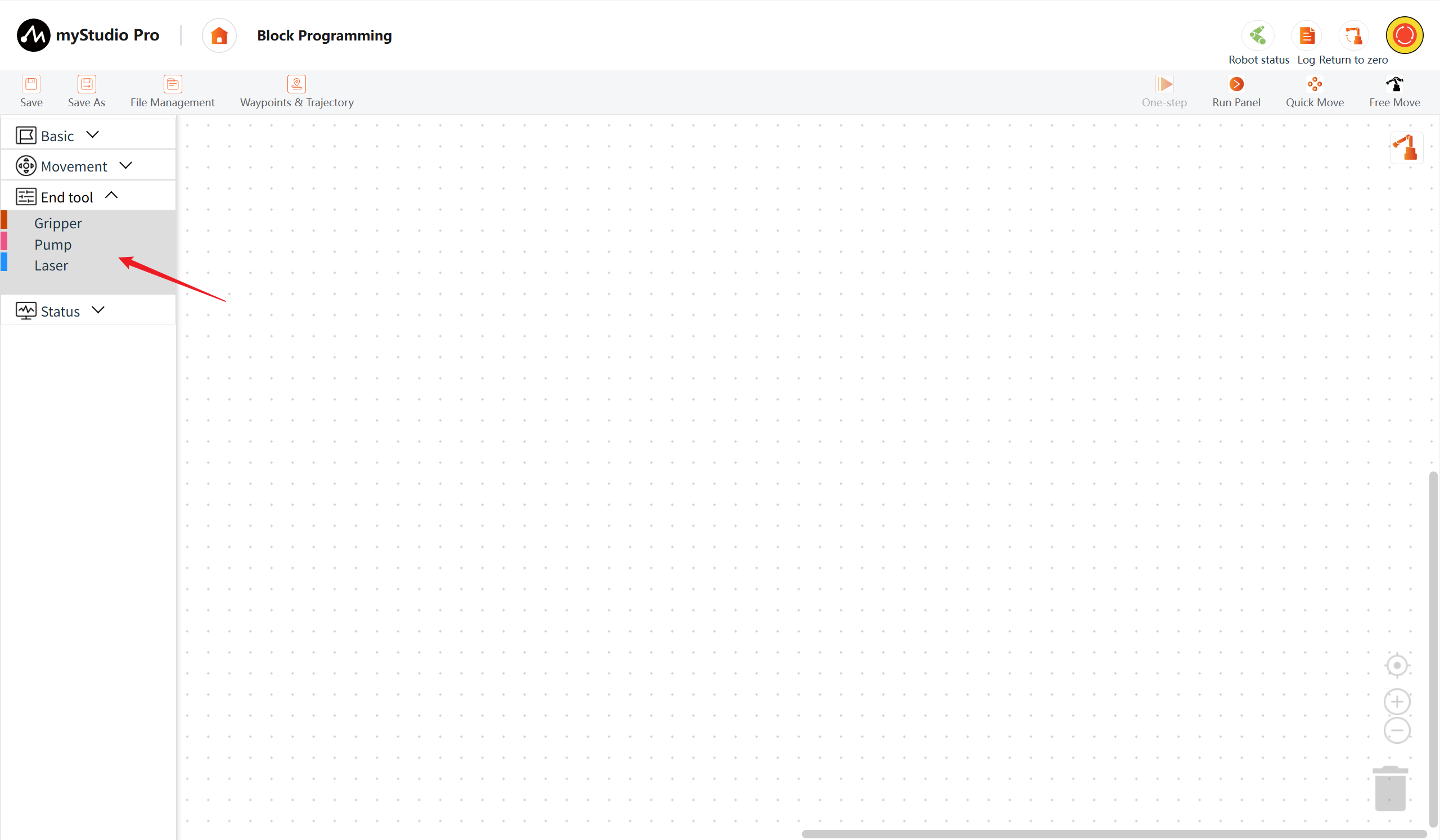
2.1 Gripper
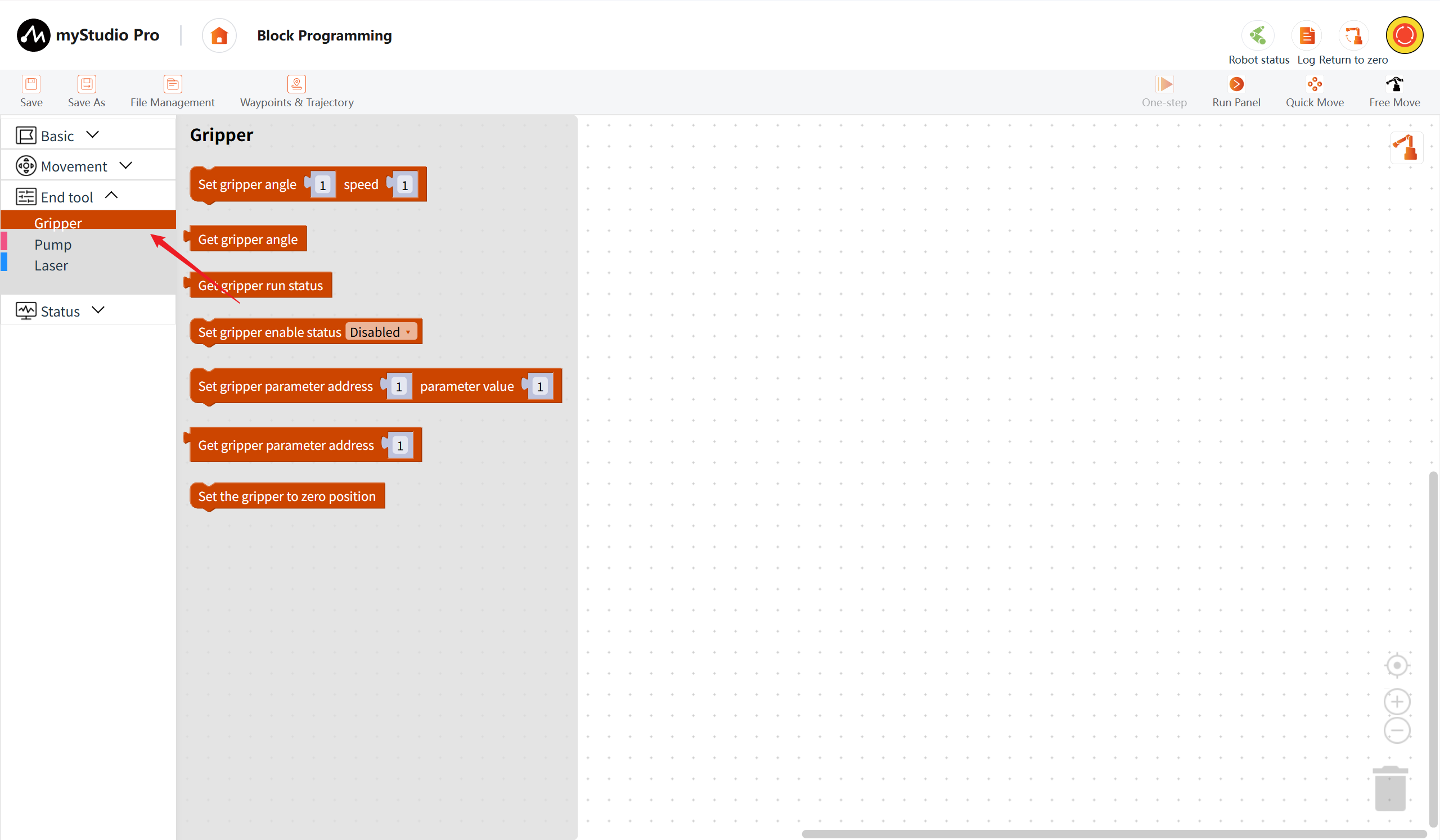
Set gripper angle
Function: Move the gripper to the specified angle at the set speed.
Parameters: Angle: 1–100; Speed: 1–100.
Return value: ok.
Get gripper angle
Function: Read the current gripper angle.
Parameters: None.
Return value: Gripper angle in the range 1–100.
Get gripper run status
Function: Read the current running status of the gripper.
Parameters: None.
Return value: None.
Set gripper enable status
Function: Set the enable status of the gripper motor.
Parameters: Status: Disabled, Enabled.
Return value: ok.
Set gripper parameter
Function: Write a gripper configuration value to the specified parameter address.
Parameters: Address: 1–69; Parameter value: 1–65535.
Return value: ok.
Get gripper parameter
Function: Read the gripper parameter value at the specified address.
Parameters: Address: 1–69.
Return value: int, gripper parameter value in the range 0–65535.
Set the gripper to zero position
Function: Set the current gripper position as the zero position.
Parameters: None.
Return value: ok.
2.2 Pump
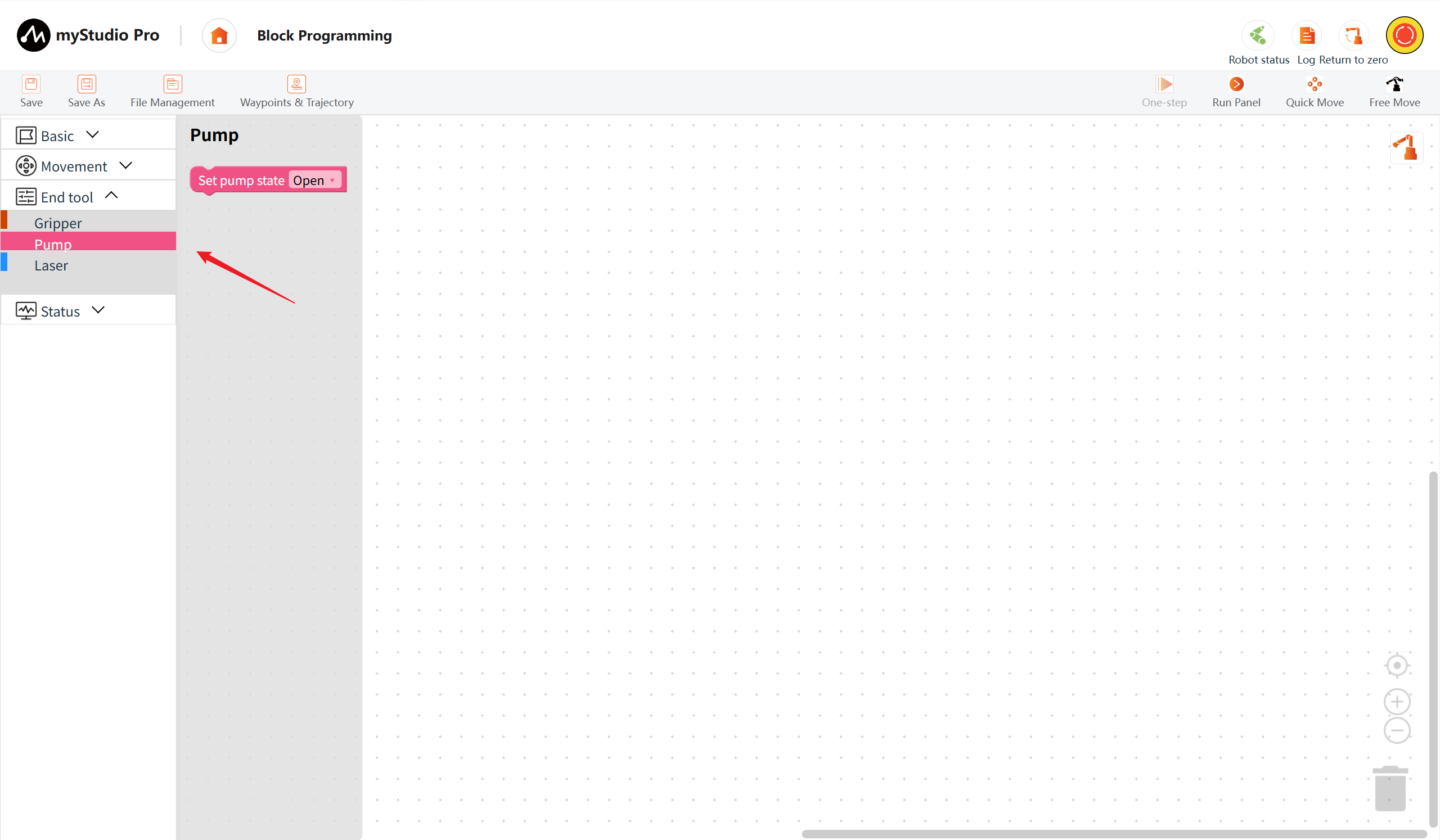
Set pump state
Function: Set the working state of the pump.
Parameters: State: Open, Release, Close.
Return value: ok.
2.3 Laser
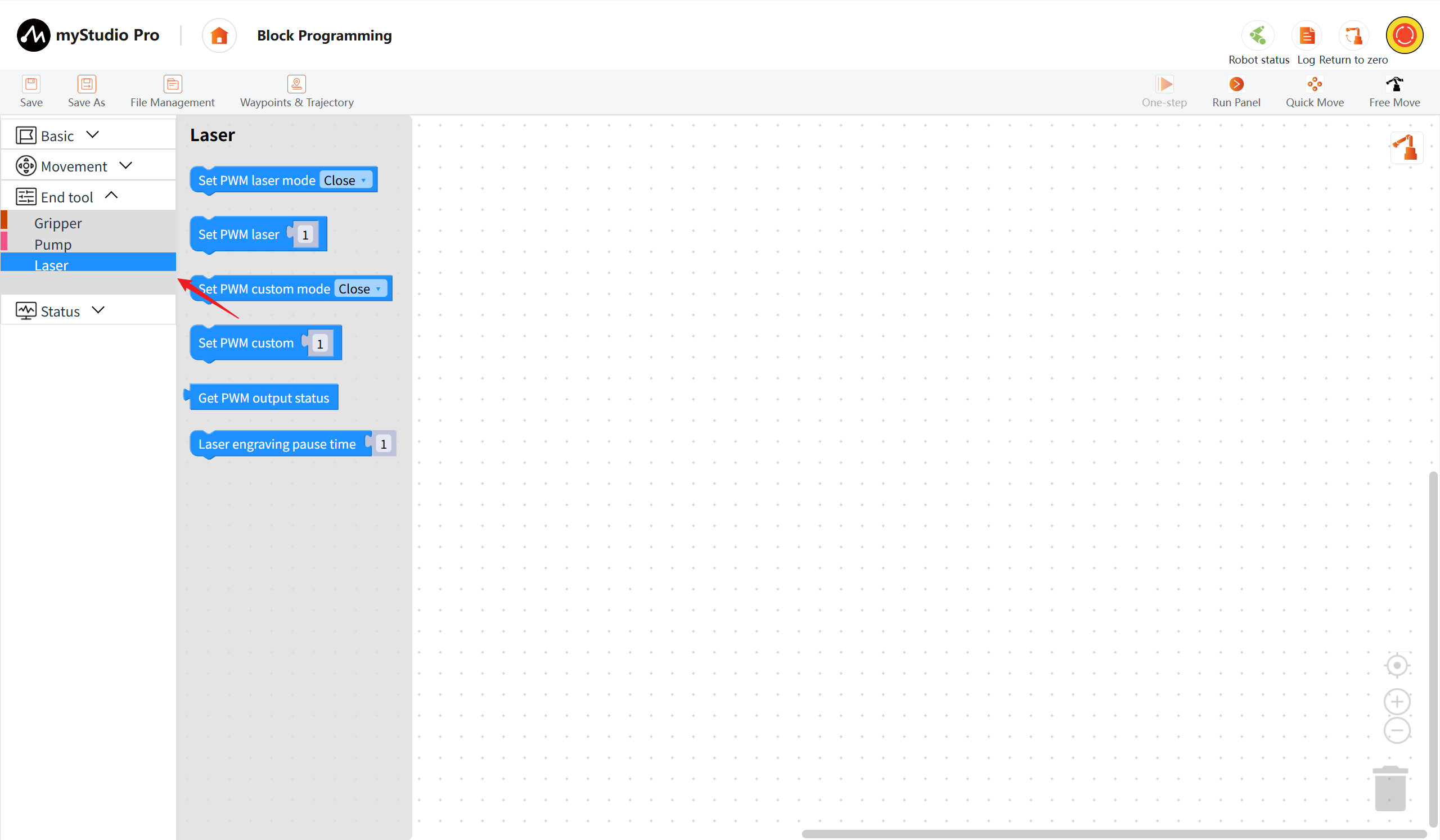
Set PWM laser mode
Function: Enable or disable PWM laser mode.
Parameters: Mode: Open, Close.
Return value: Returns ok on success and 0 on failure.
Set PWM laser
Function: Set the PWM output value in laser mode.
Parameters: PWM value: 0–255.
Return value: Returns ok on success and 0 on failure.
Set PWM custom mode
Function: Enable or disable PWM custom output mode.
Parameters: Mode: Open, Close.
Return value: Returns ok on success and 0 on failure.
Set PWM custom
Function: Set the PWM output value in custom mode.
Parameters: PWM value: 0–255.
Return value: Returns ok on success and 0 on failure.
Get PWM output status
Function: Read the current PWM output status.
Parameters: None.
Return value: list[int] of length 4 containing the laser mode state, laser PWM value, custom mode state, and custom PWM value. A mode state is 0 (off) or 1 (on); PWM values range from 0 to 255.
Laser engraving pause time
Function: Set the pause time during laser engraving.
Parameters: Pause time: 0–1000.
Return value: ok.
3 Status
The following is an introduction to the building blocks of the Status category.
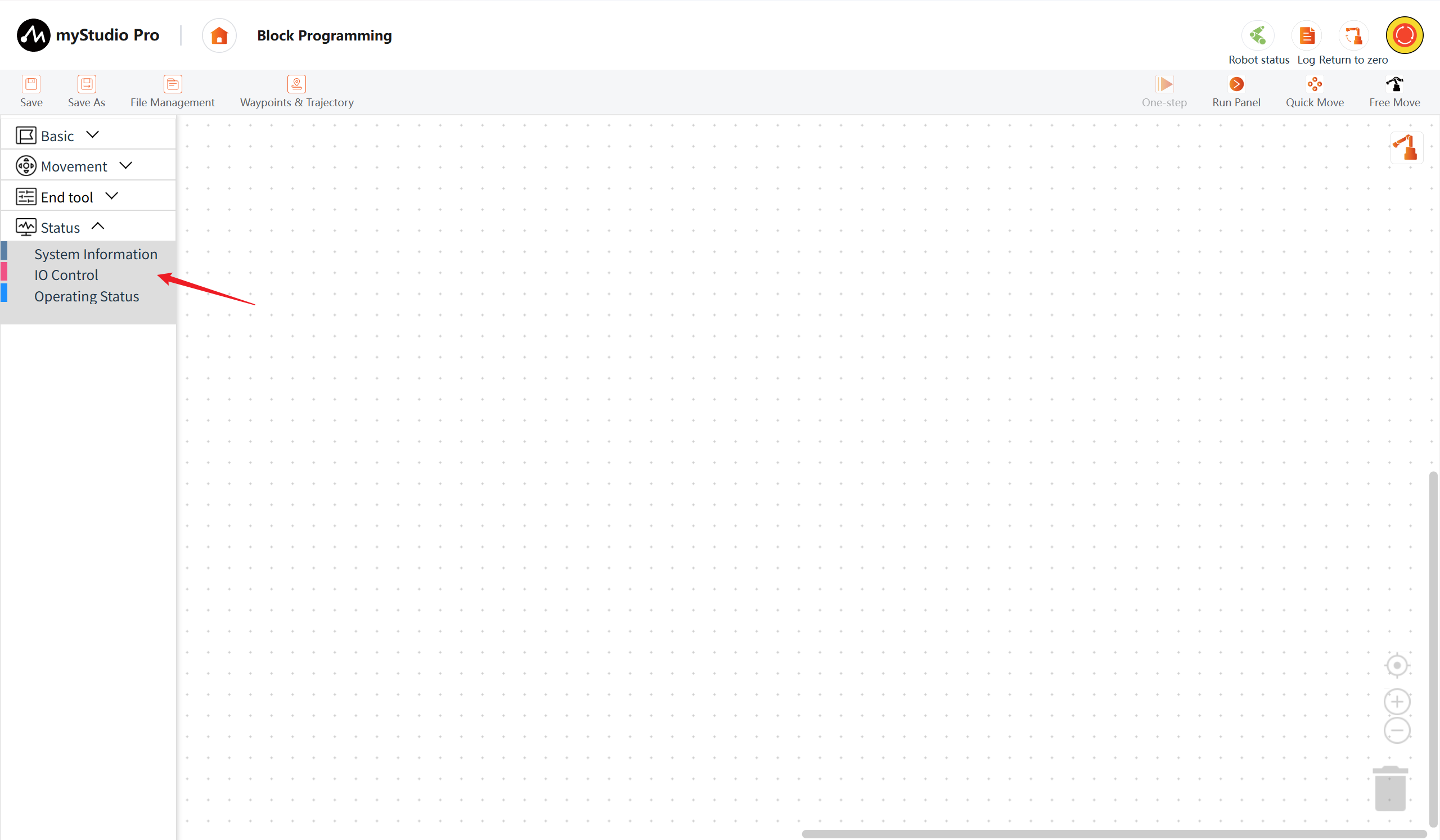
3.1 System Information
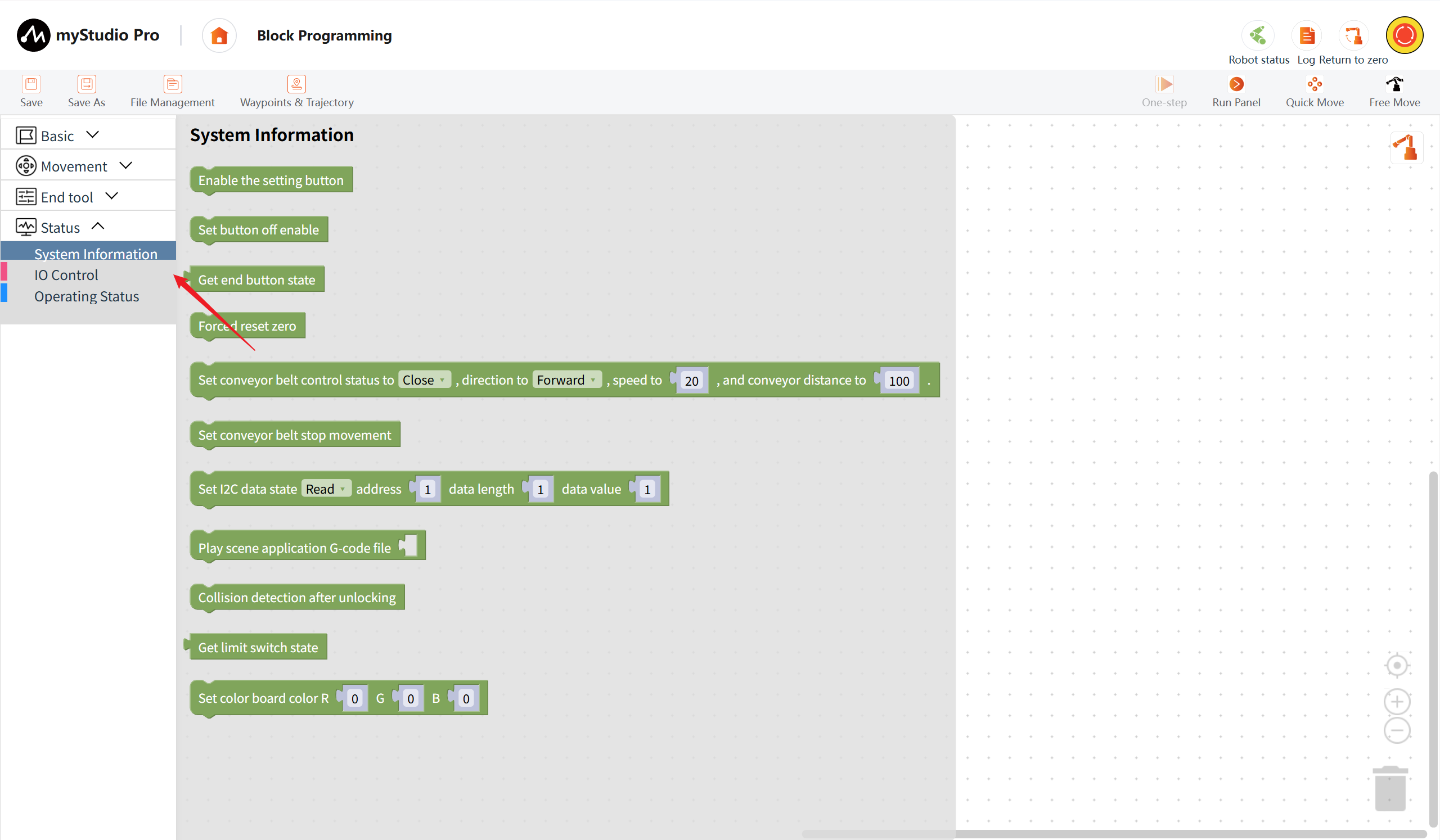
Enable free move mode
Function: Enable free move mode controlled by the end button.
Parameters: None.
Return value: ok.
Disable free move mode
Function: Disable free move mode controlled by the end button.
Parameters: None.
Return value: ok.
Get end button state
Function: Read the current state of the robotic arm end button.
Parameters: None.
Return value: int; 0 means not pressed and 1 means pressed.
Forced reset zero
Function: Force the robotic arm to return to the zero position.
Parameters: None.
Return value: ok.
Set conveyor belt control
Function: Set the conveyor belt on/off state, direction, speed, and travel distance.
Parameters: Status: Open, Close; Direction: Forward, Backward; Speed: 1–125; Conveyor distance: 1–1200.
Return value: ok.
Set conveyor belt stop movement
Function: Stop the conveyor belt motion.
Parameters: None.
Return value: ok.
Set I2C data
Function: Read or write I2C data at the specified address.
Parameters: State: Read, Write; Address: 0–255; Data length: 0–64; Data value: 0–255.
Return value: Returns ok after a successful write; returns list[str] after a successful read, for example ['8f', '15']; returns an error code from 1 to 7 on communication failure.
Play scene application G-code file
Function: Play the specified scene application G-code trajectory file.
Parameters: File name or file path: string.
Return value: None.
Unlock after collision detection
Function: Unlock the robotic arm after a collision protection trigger.
Parameters: None.
Return value: Returns OK on success and 0 on failure.
Get limit switch state
Function: Read the current state of the limit switch.
Parameters: None.
Return value: int; 0 means not triggered and 1 means triggered.
Set color board color
Function: Set the color board color using RGB values.
Parameters: R: 0–255; G: 0–255; B: 0–255.
Return value: ok.
3.2 IO Control
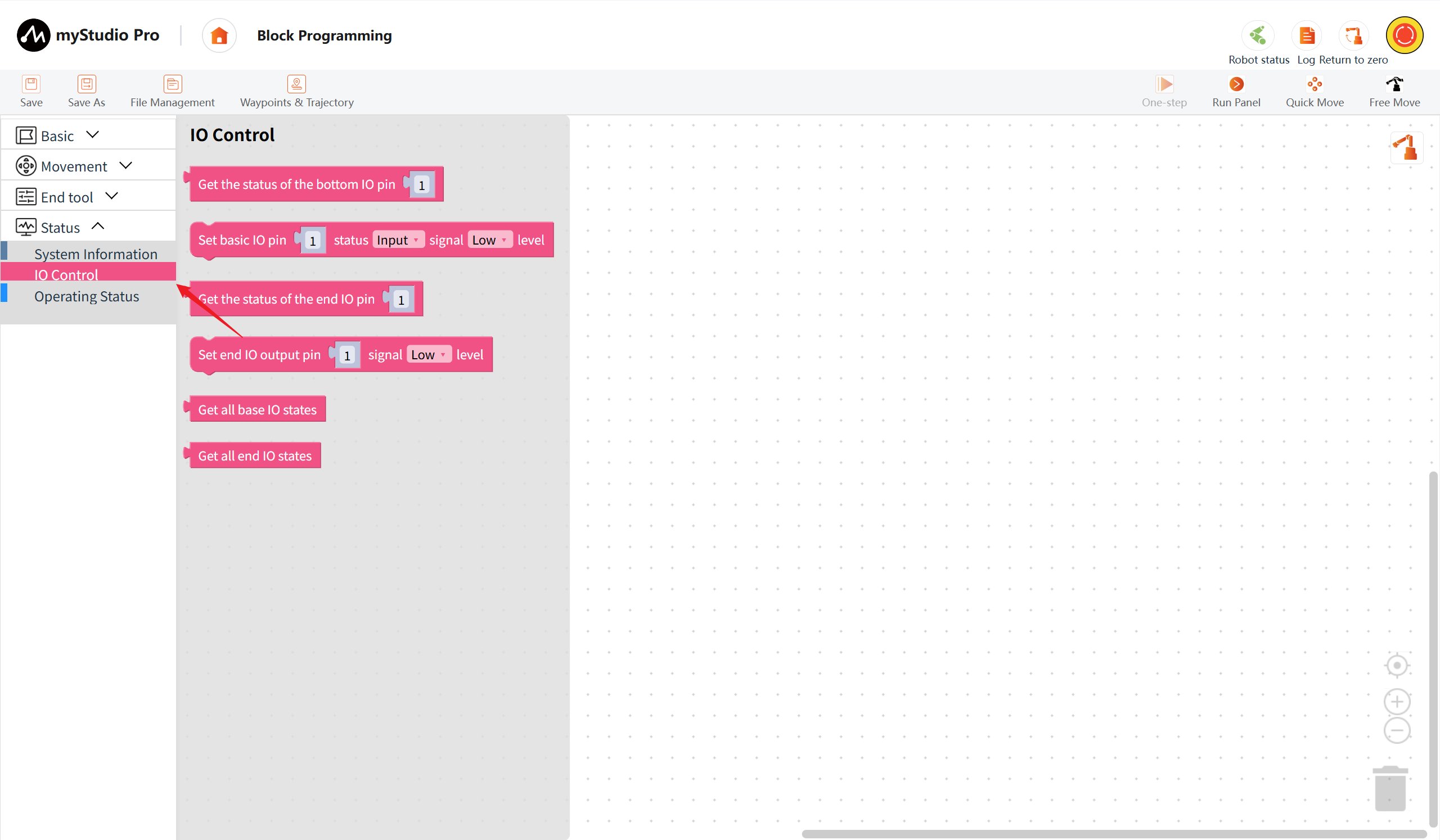
Get the status of the bottom IO pin
Function: Read the current state of the specified base IO pin.
Parameters: Pin: 1–10.
Return value: int in the range 0–3: 0 input/low, 1 input/high, 2 output/low, and 3 output/high.
Set basic IO
Function: Set the input/output mode and level signal of the specified base IO pin.
Parameters: Pin: 1–10; Status: Input, Output; Signal: Low level, High level.
Return value: ok.
Get the status of the end IO pin
Function: Read the current state of the specified end IO pin.
Parameters: Pin: 1–4.
Return value: int in the range 0–3: 0 input/low, 1 input/high, 2 output/low, and 3 output/high.
Set end IO output
Function: Set the output level of the specified end IO pin.
Parameters: Pin: 1–4; Signal: Low level, High level.
Return value: ok.
Get all base IO states
Function: Read the states of all base IO pins.
Parameters: None.
Return value: list of length 10. Each item is in the range 0–3: 0 input/low, 1 input/high, 2 output/low, and 3 output/high.
Get all end IO states
Function: Read the states of all end IO pins.
Parameters: None.
Return value: list of length 4. Each item is in the range 0–3: 0 input/low, 1 input/high, 2 output/low, and 3 output/high.
3.3 Operating Status
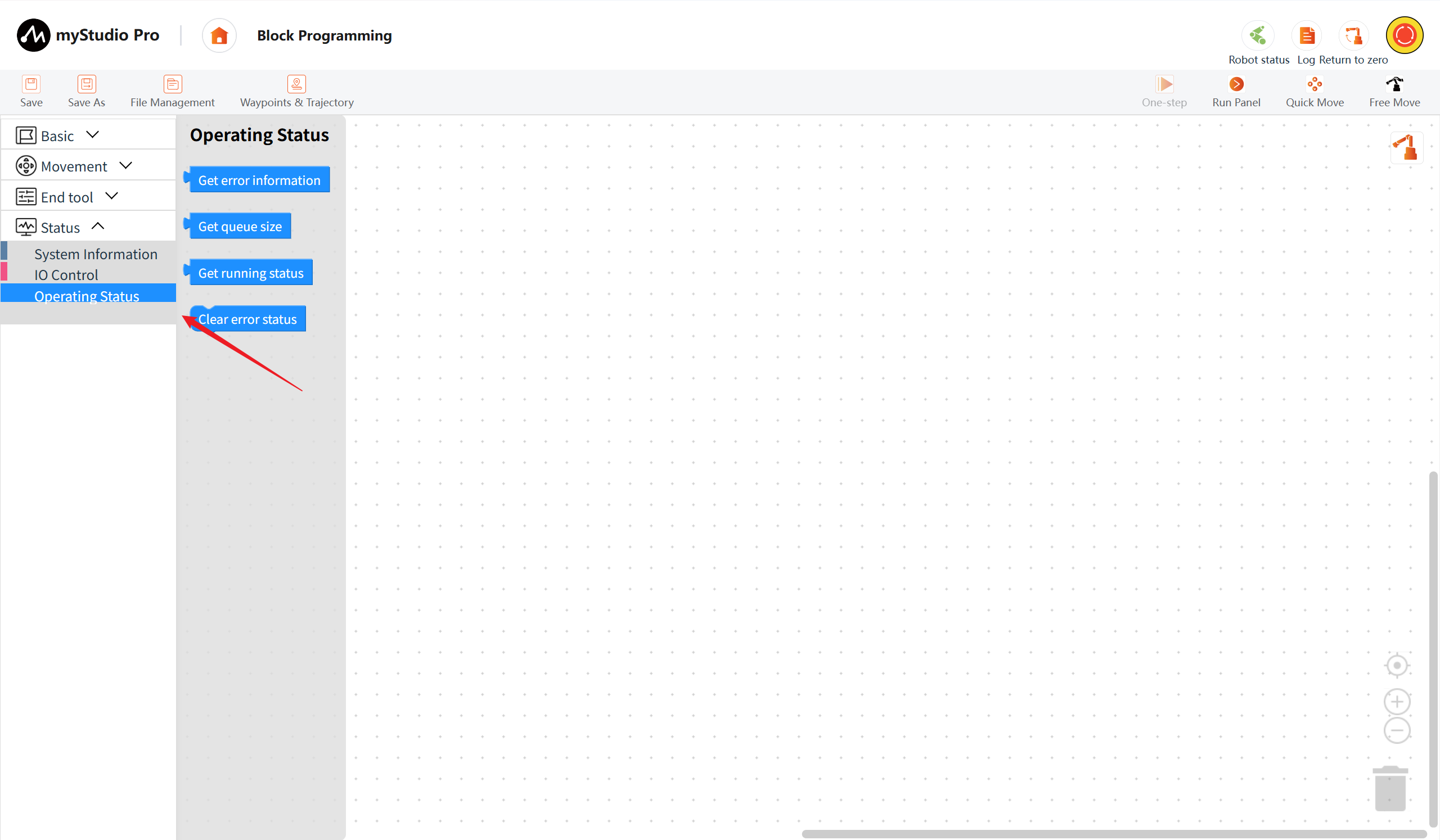
Get error information
Function: Read the current error information of the robotic arm.
Parameters: None.
Return value: Error information; the API documentation does not specify its type or possible values.
Get queue size
Function: Read the size of the current pending command queue.
Parameters: None.
Return value: int, the buffer queue size.
Get running status
Function: Read the current running status of the robotic arm.
Parameters: None.
Return value: Running status; the API documentation does not specify its type or possible values.
Clear error status
Function: Clear the current error status of the robotic arm.
Parameters: None.
Return value: Returns OK on success and 0 on failure.