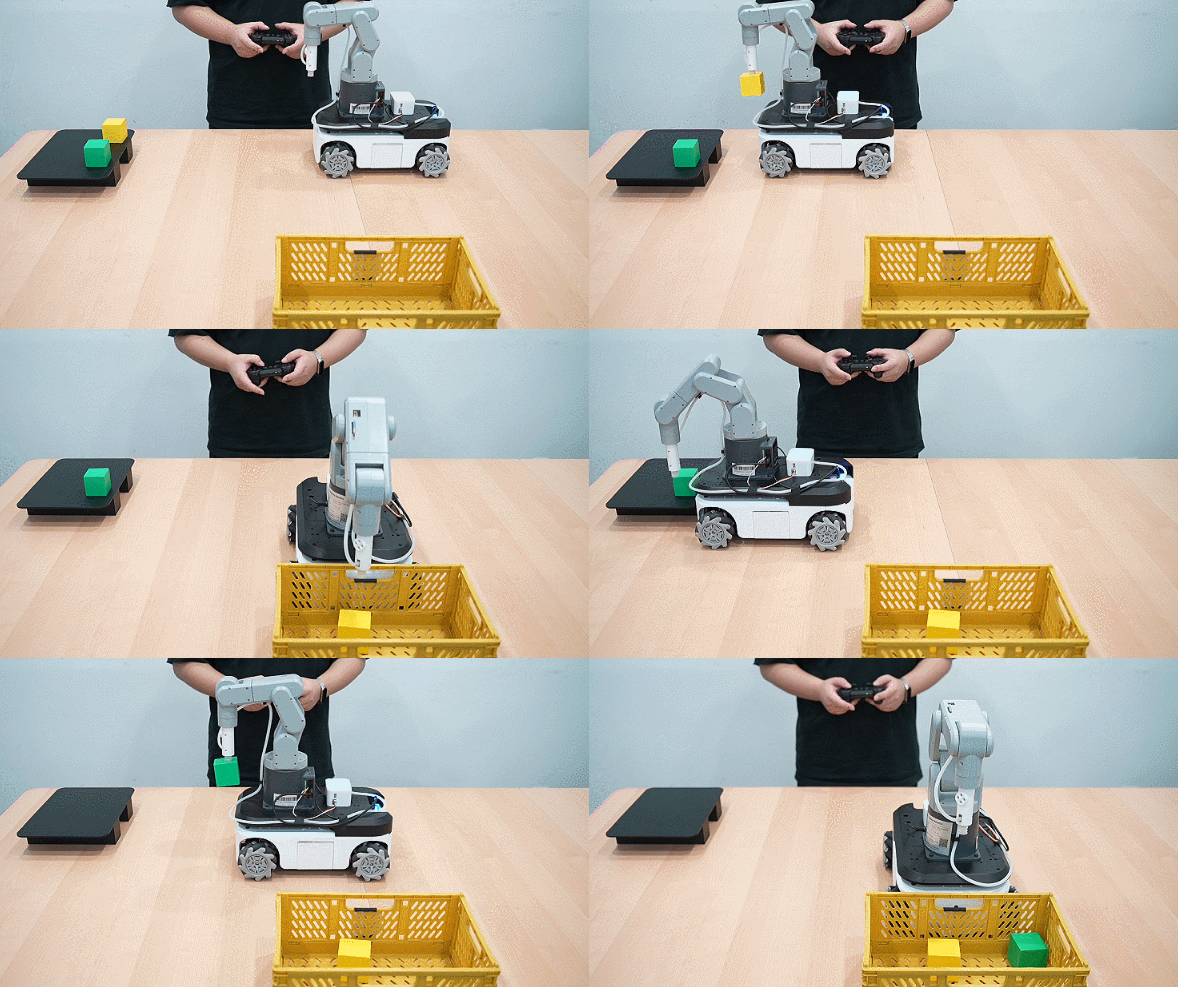
myAGV Plus + 270M5 手柄遥控案例
功能:用手柄控制myAGV Plus + 270M5进行移动
1 硬件安装
机械臂安装
将270M5固定在AGV上
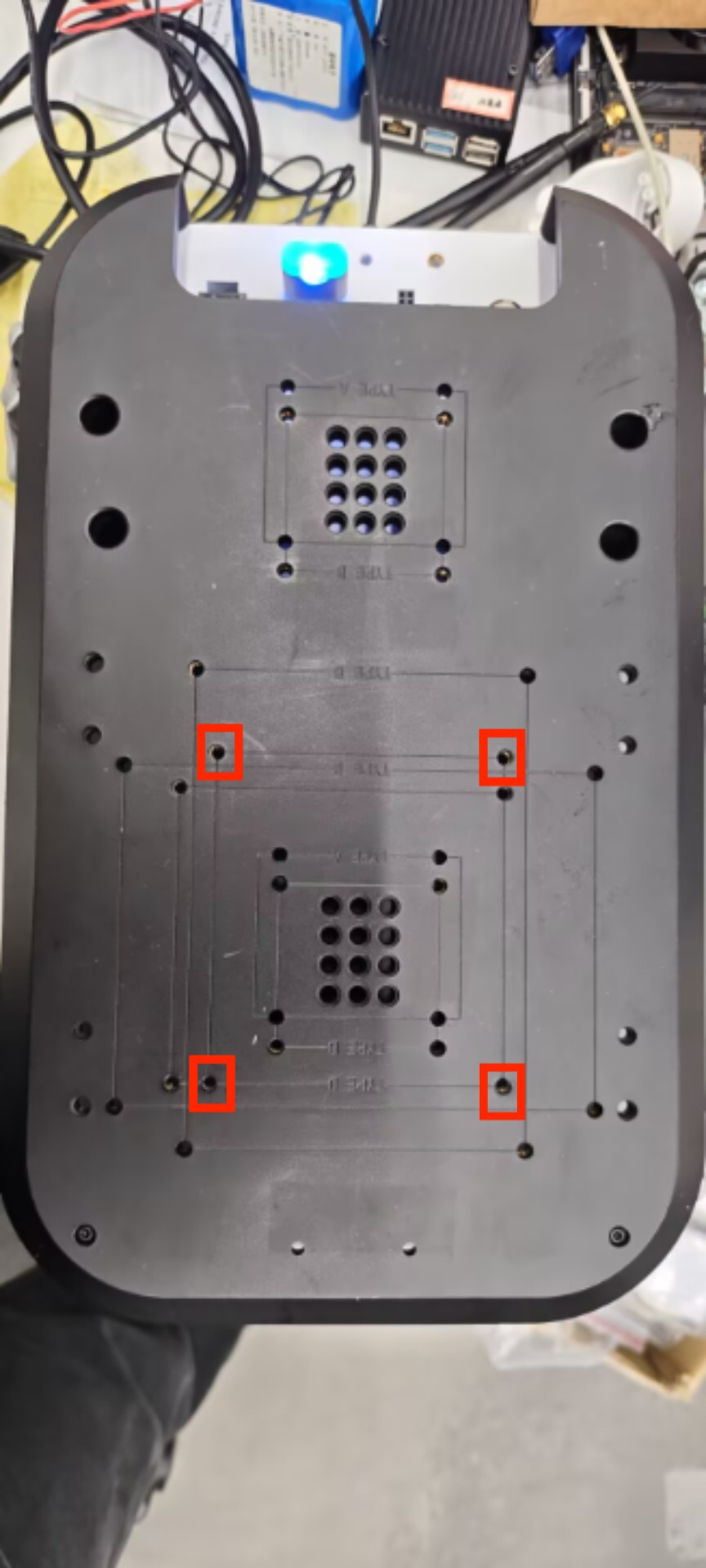
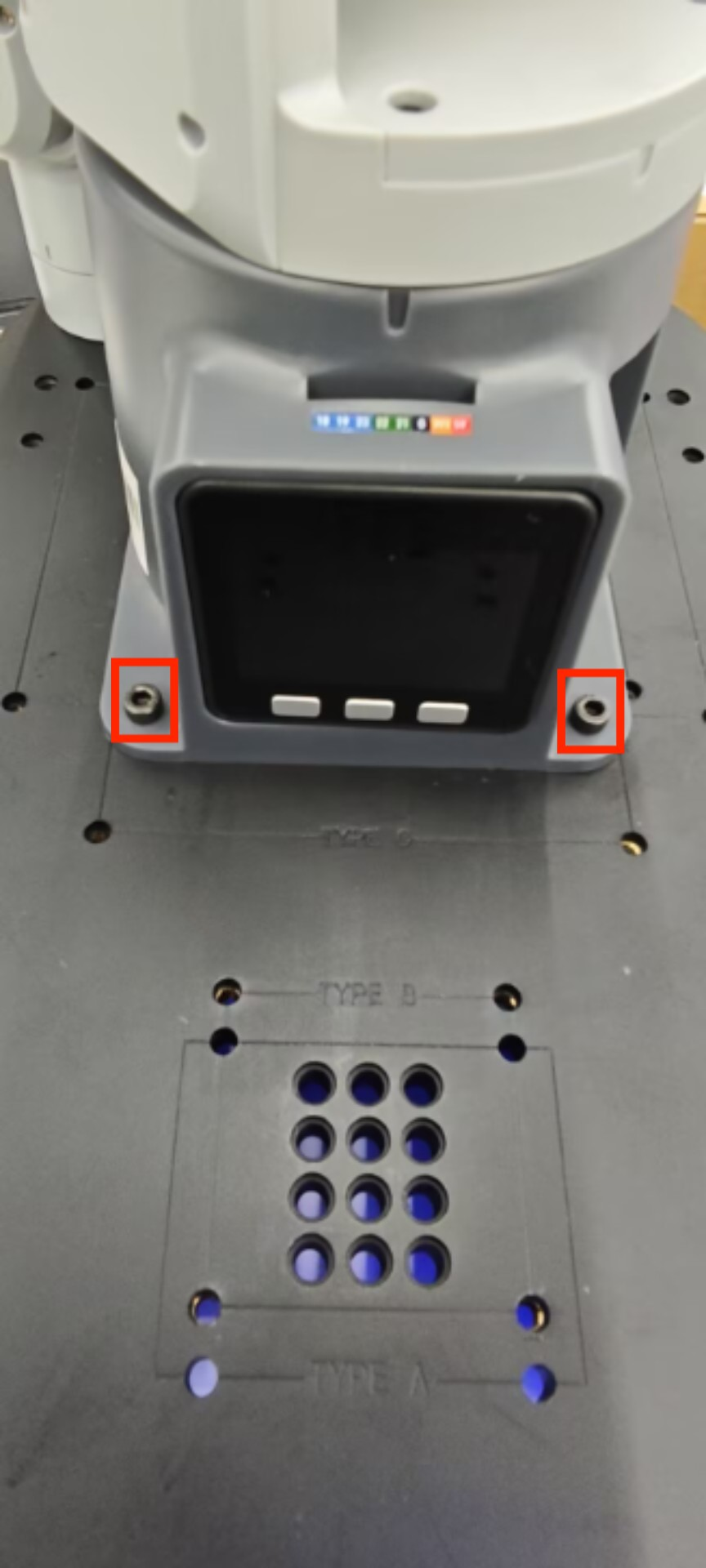
然后将12V电源线,Type-C线,手柄接收器参考下图进行接线后,按下AGV电源键即可
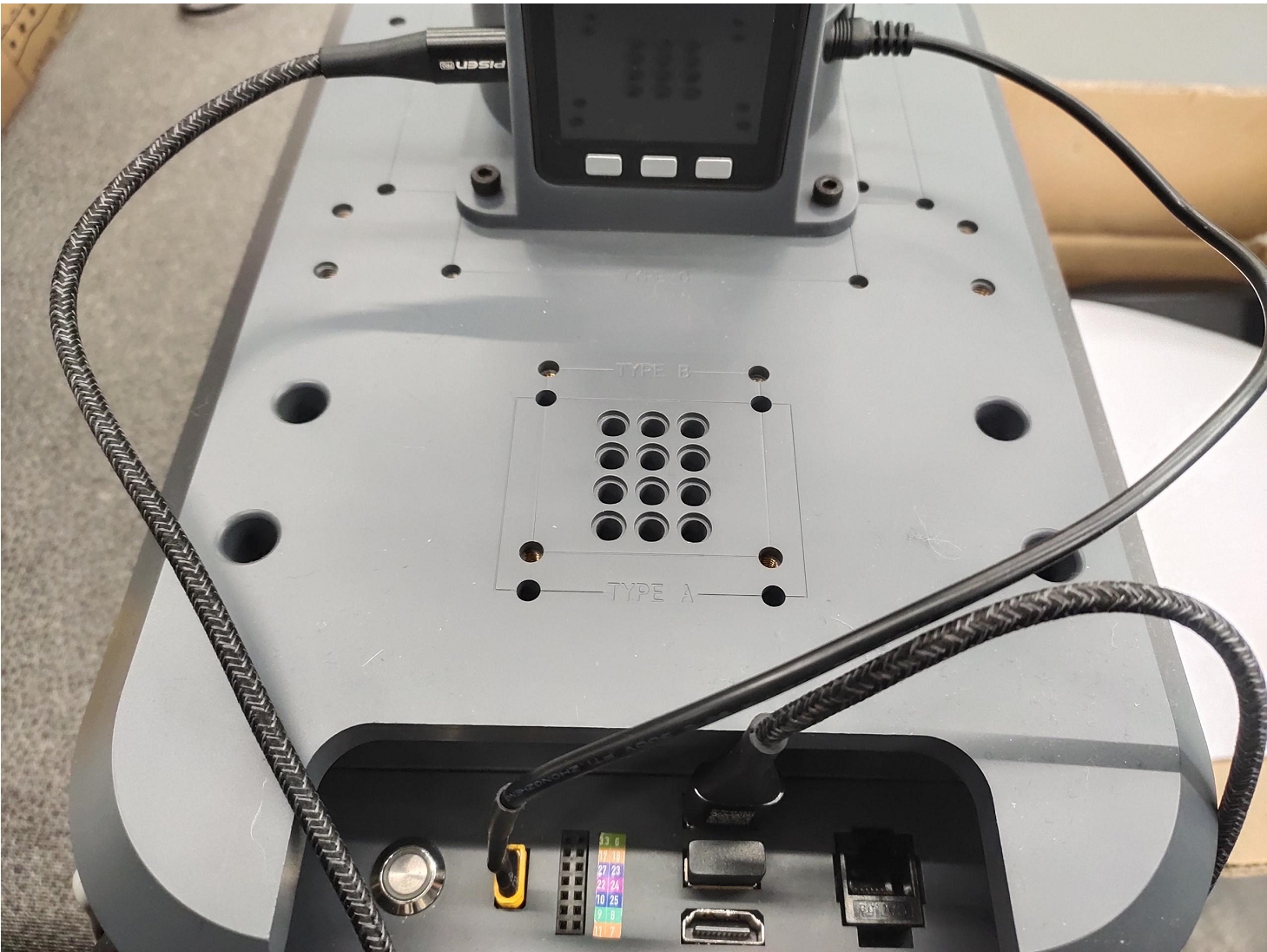
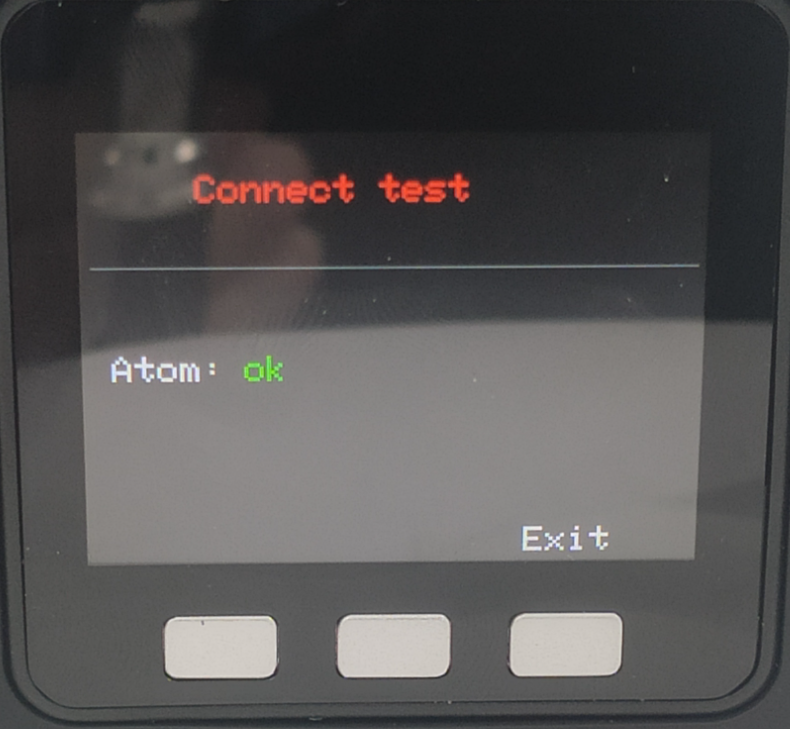
开机后,确保270M5底部屏幕显示ATOM:OK
末端工具可选择夹爪或吸泵
吸泵安装
将乐高连接件插入吸泵上预留的插孔中
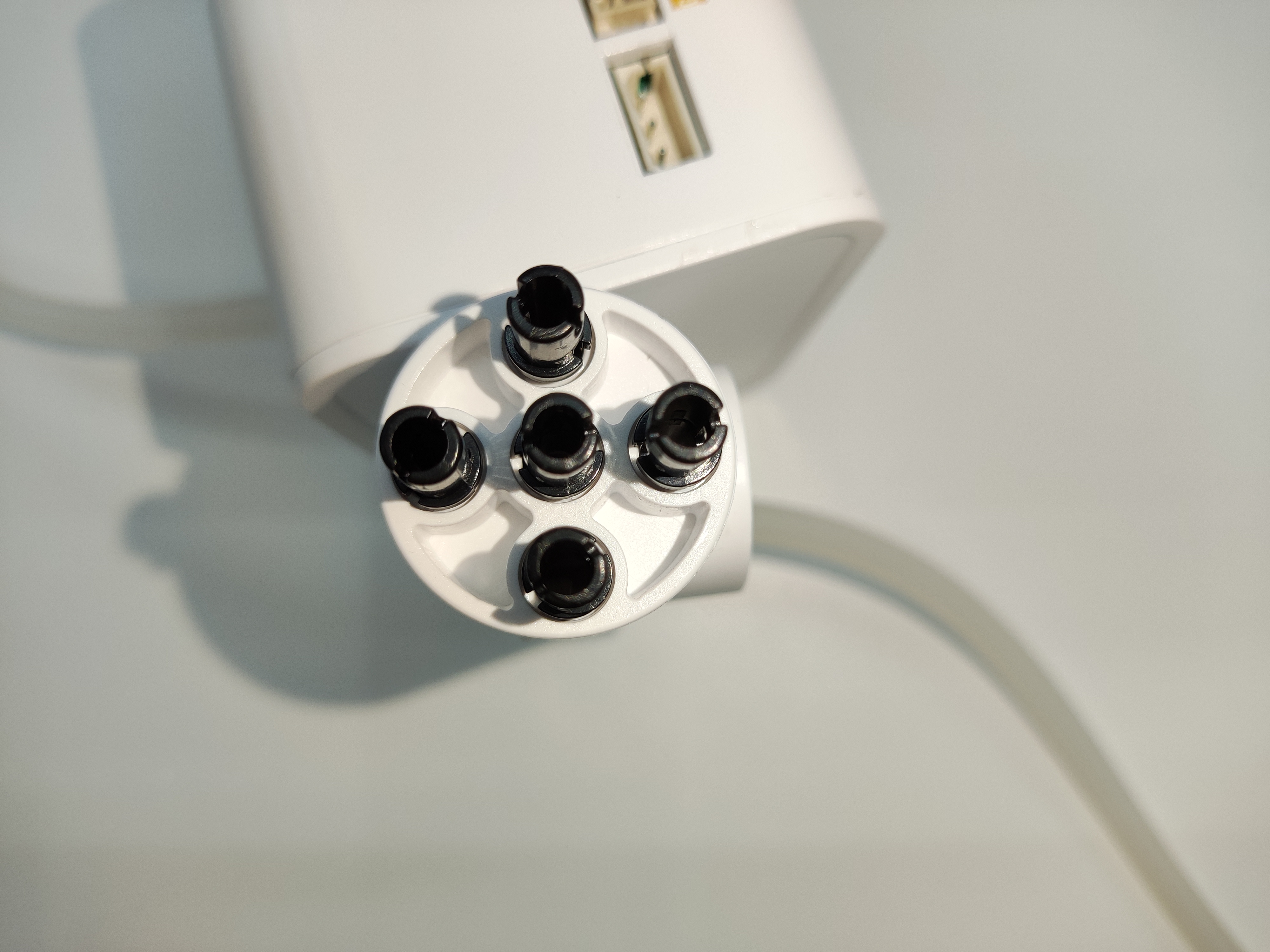
将插好连接件的吸泵对准机械臂末端插孔插入
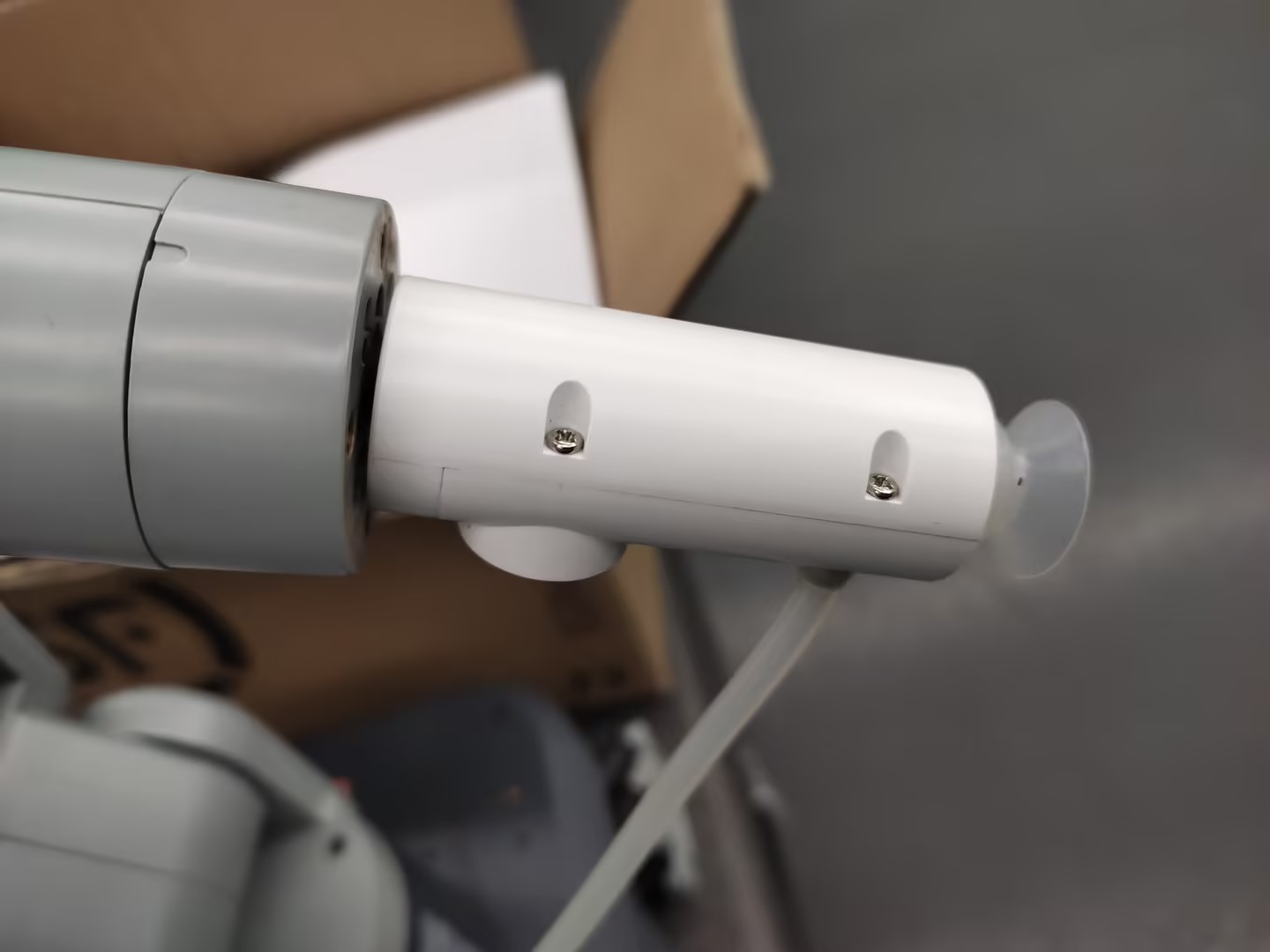
然后将公母杜邦线接到机械臂的底座IO
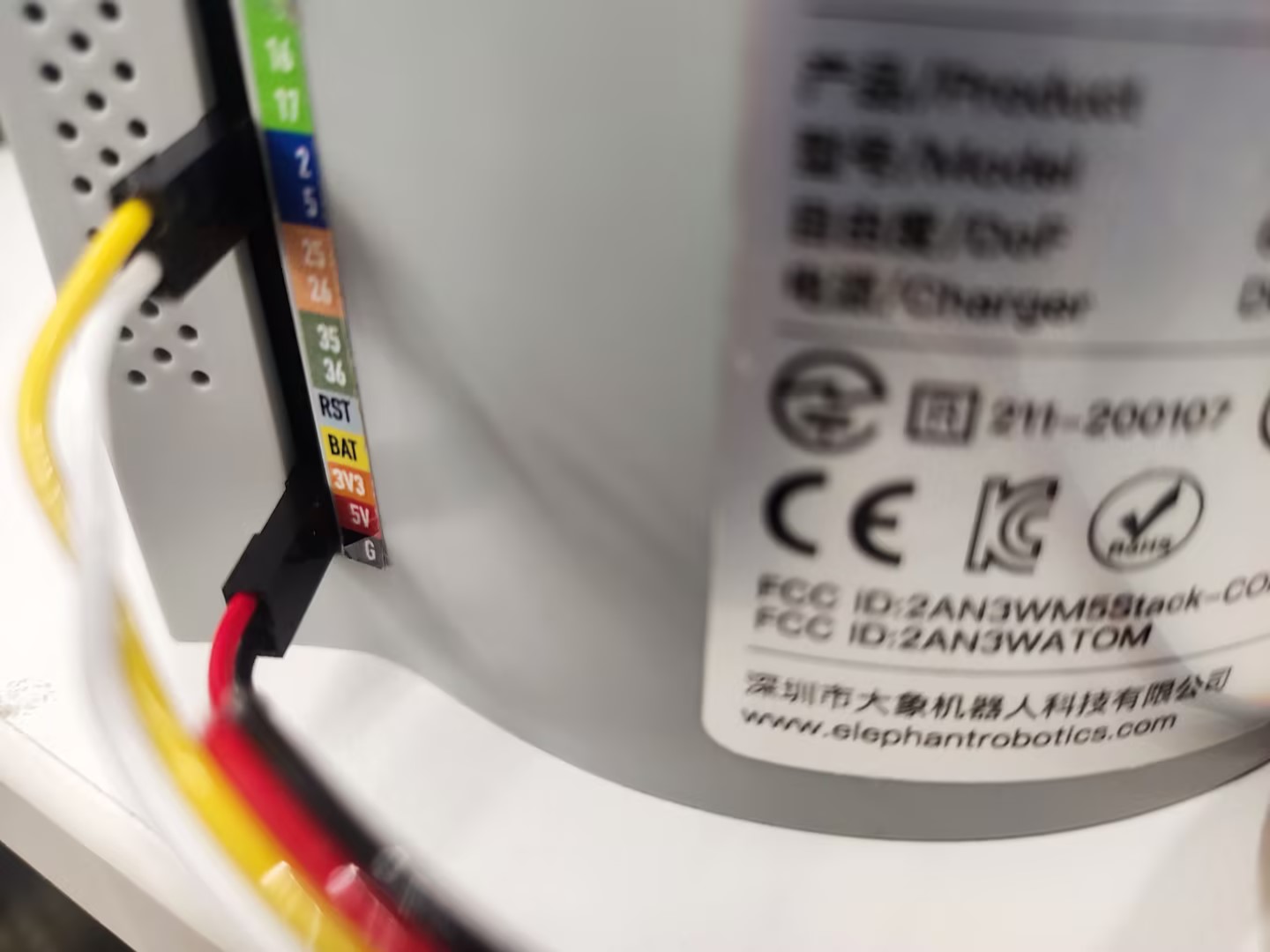
左侧为吸泵引脚,右侧为机械臂引脚 GND -> GND 5V -> 5V G2 -> 2 G5 -> 5
夹爪安装
将乐高连接件插入夹爪预留的插孔中
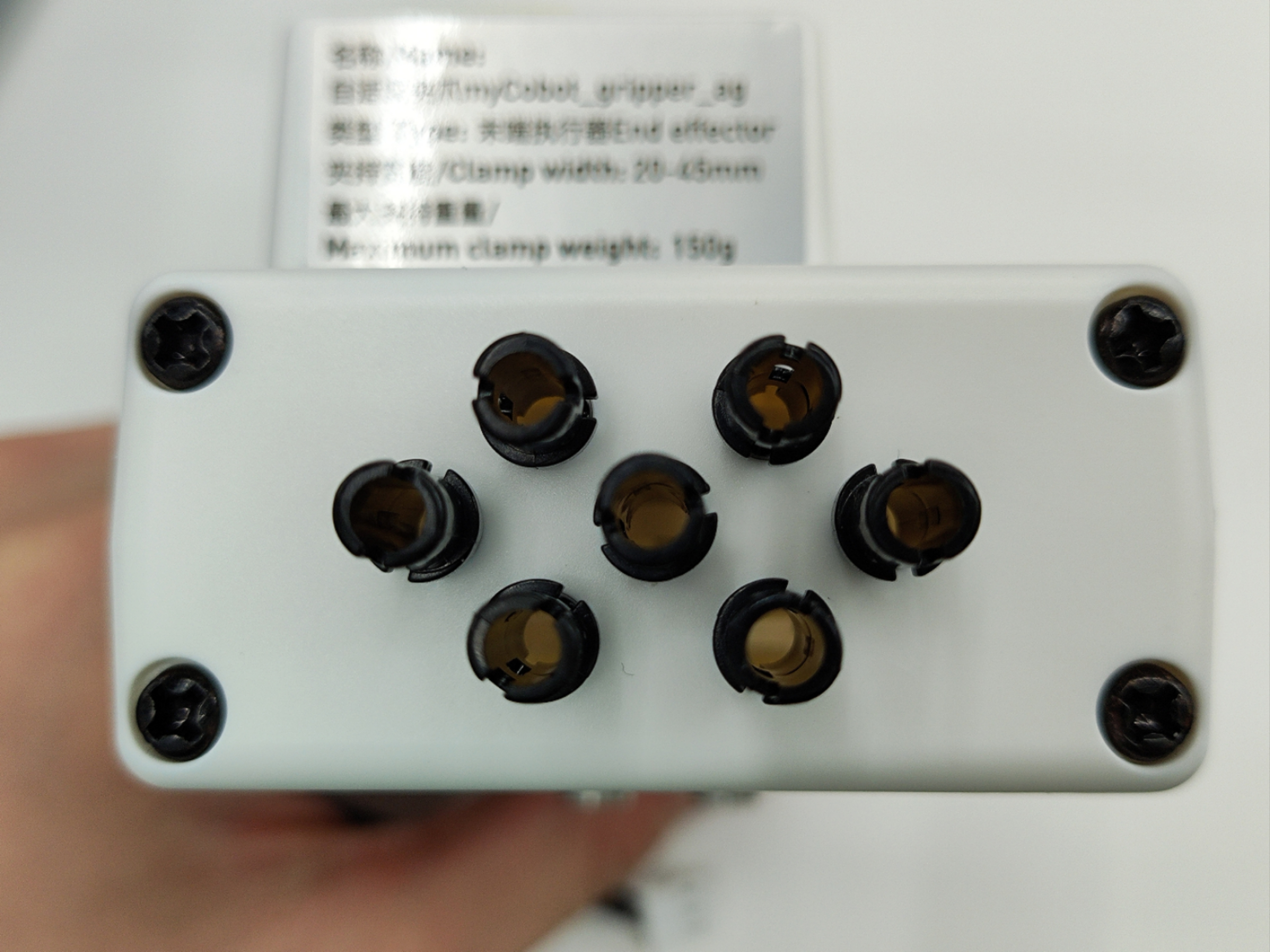
将插好连接件的夹爪对准机械臂末端插孔插入
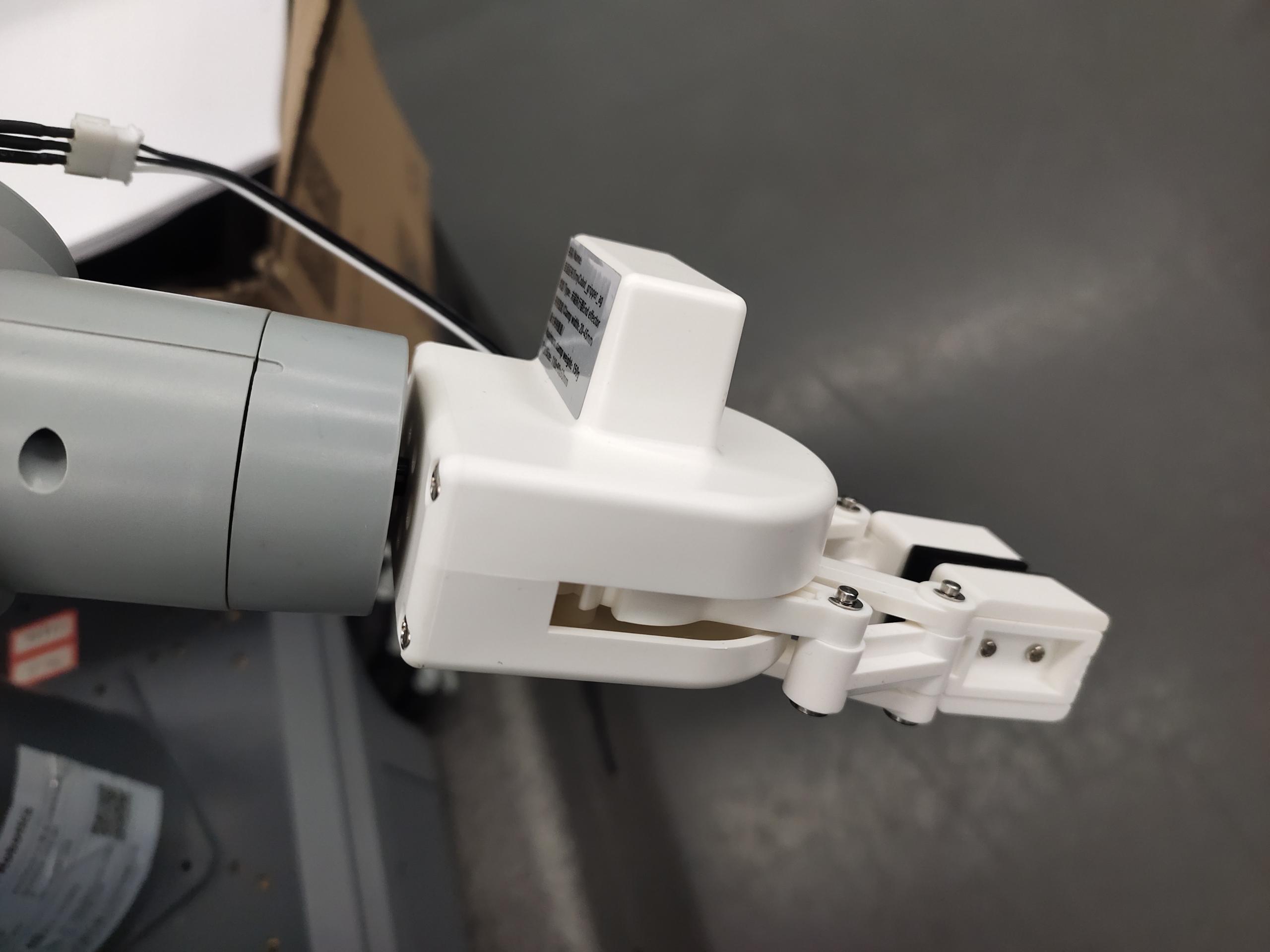
将夹爪线插入机械臂控制接口
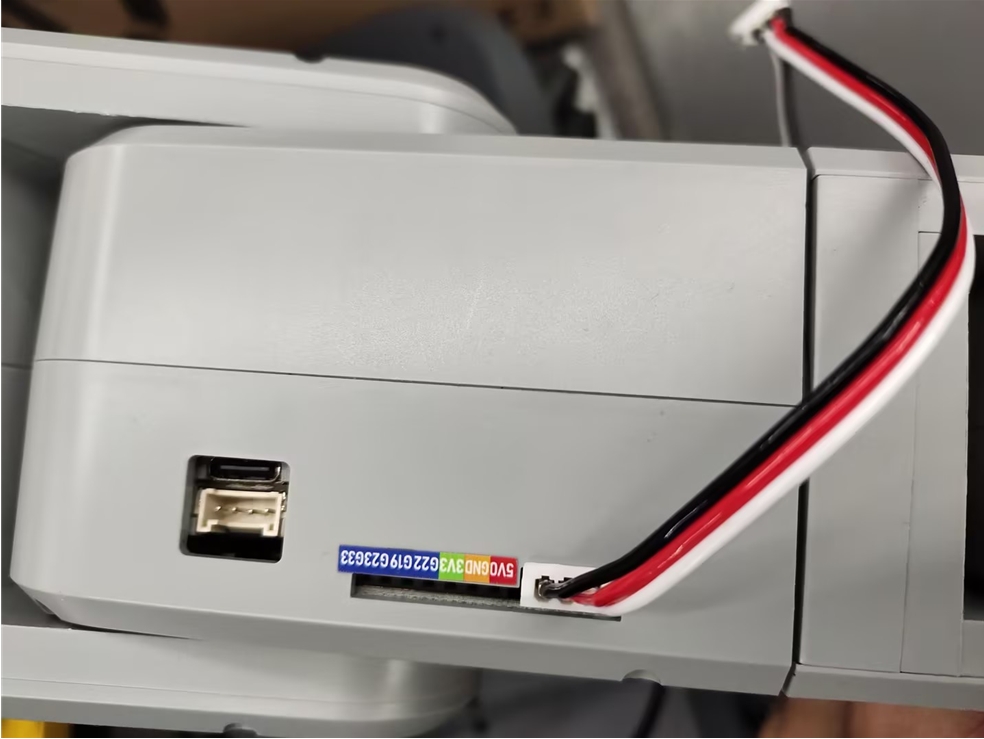
2 依赖库安装
pip install pygame pymycobot --upgrade
3 手柄功能说明
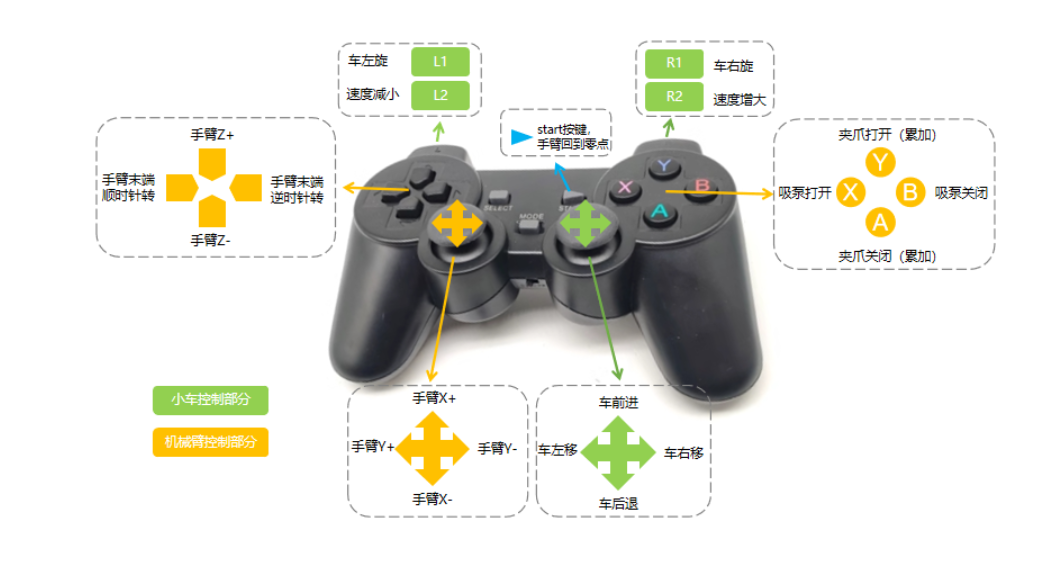
4 手柄激活
将手柄的开关打开
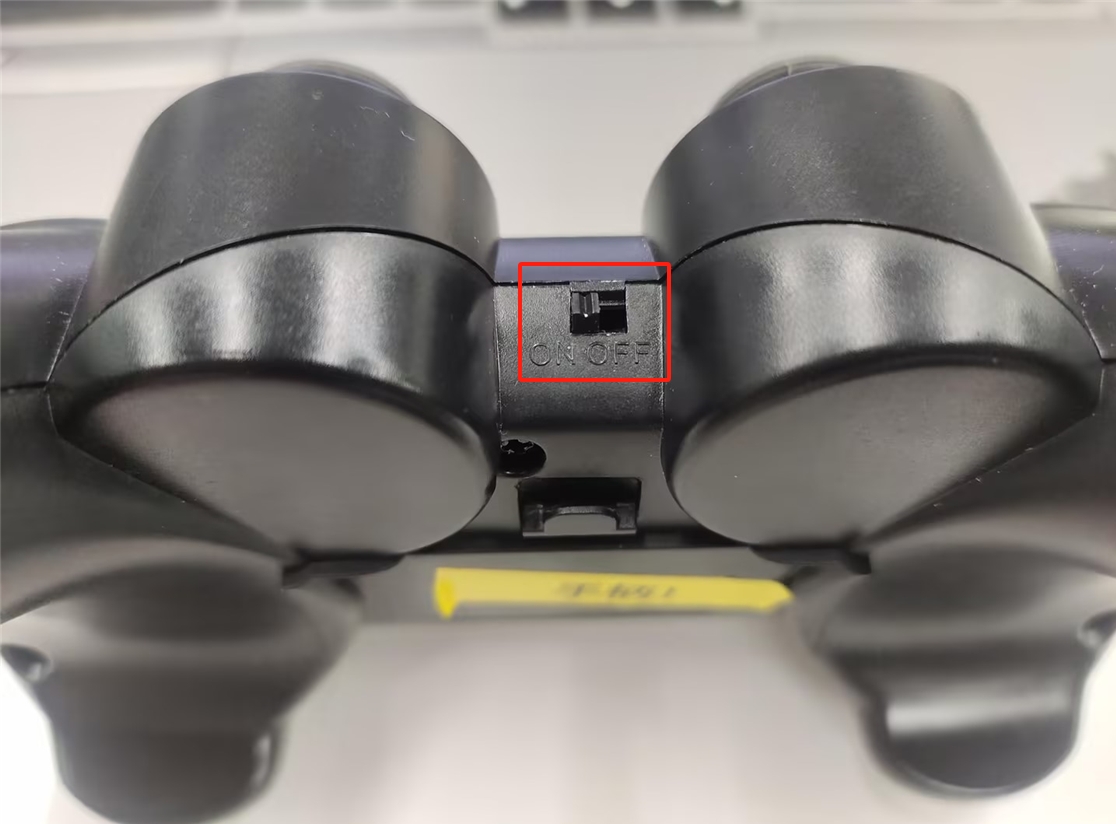
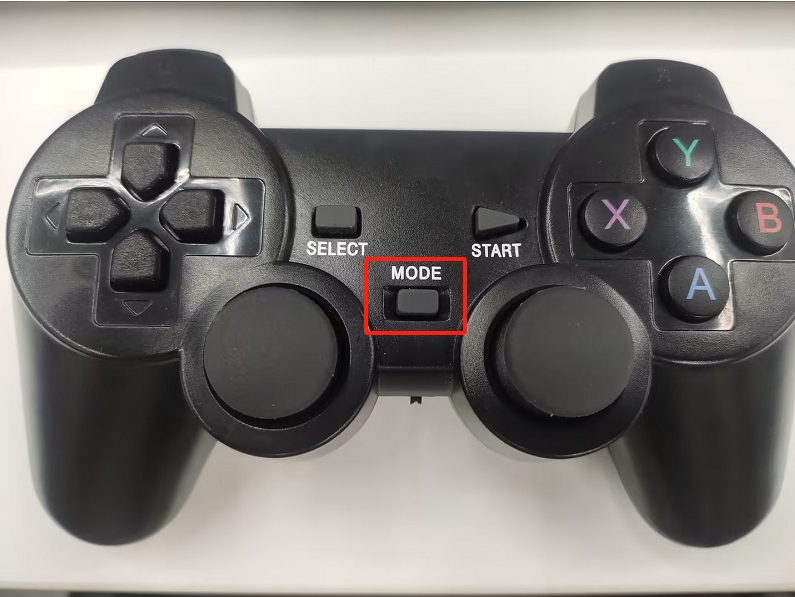
执行程序后,长按手柄的MODE键,待手柄的MODE灯亮红灯后,即可松开MODE键
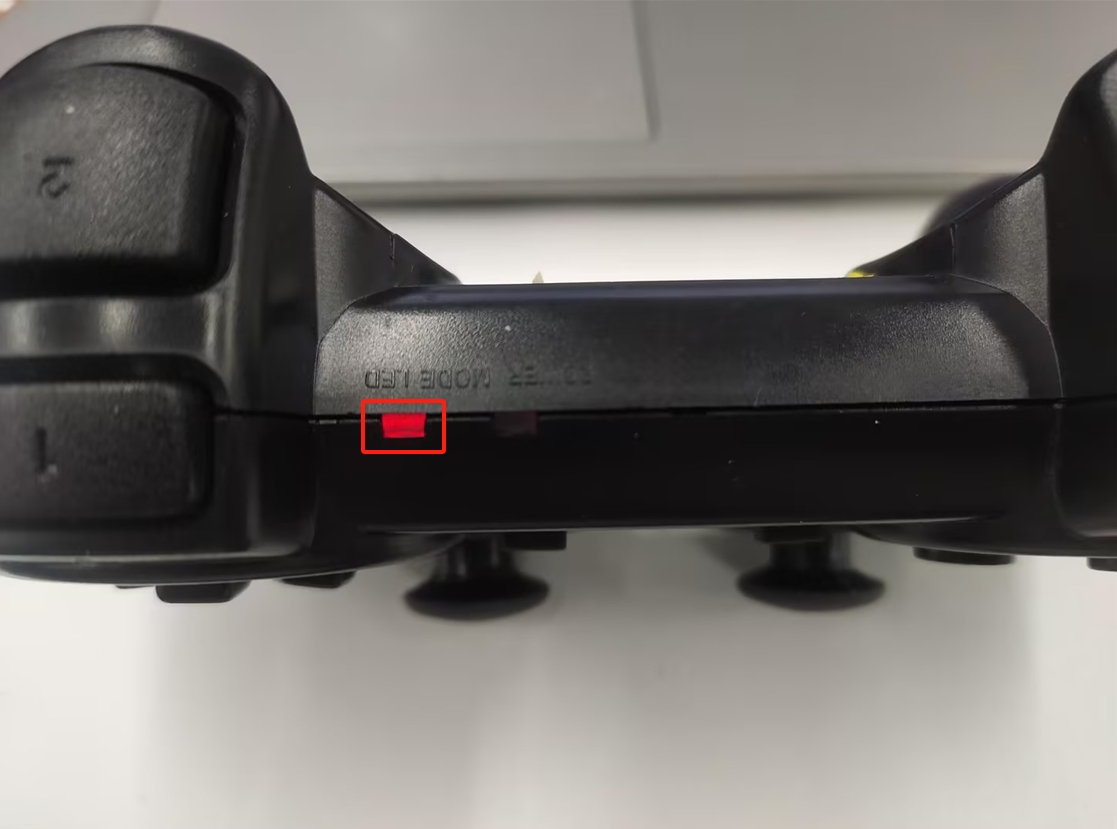
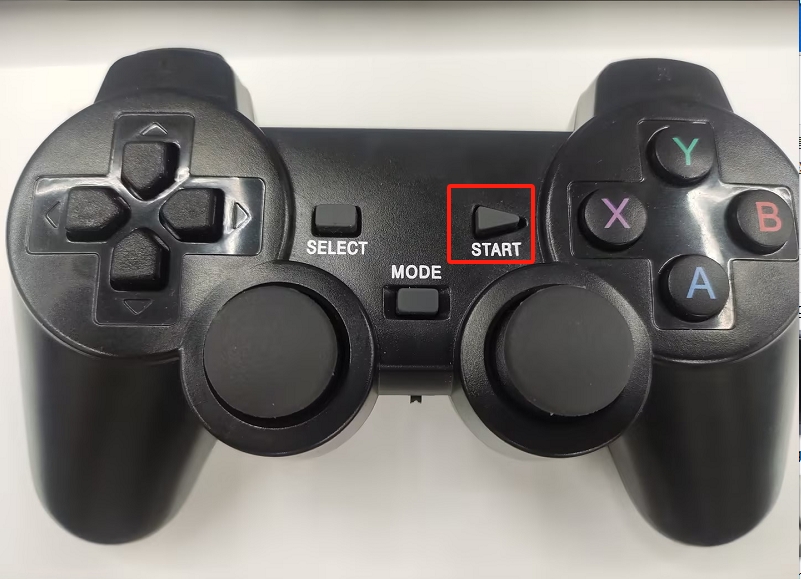
注意:只有MODE LED亮灯,才可以控制机械臂,如果手柄长时间不使用会进入待机状态,可以按一下手柄的START按键进行激活
5 案列复现
启动里程计节点和激光雷达节点
ros2 launch myagv_plus_bringup myagv_plus_bringup
案列程序
运行下面程序后,终端打印以下信息后即可开始控制: 机械臂控制器初始化成功
手柄连接成功
#!/usr/bin/env python3
"""
手柄控制节点
- 接收手柄输入
- 发布速度控制指令
"""

import rclpy
from rclpy.node import Node
from geometry_msgs.msg import Twist
from myagv_plus_joystick_control.joystick import InputJoystick, Hotkey
from myagv_plus_joystick_control.mecharm_controller import MechArm270Controller
from pymycobot import MechArm270

class JoystickController(Node):
    def __init__(self):
        super().__init__('joystick_controller')

        # 速度参数
        self.max_linear_speed = 0.25  # 最大线速度
        self.max_angular_speed = 1.0  # 最大角速度

        # 当前速度
        self.linear_speed_x = 0.0  # 前后移动
        self.linear_speed_y = 0.0  # 左右平移
        self.angular_speed = 0.0   # 旋转

         # 机械臂控制标志
        self._arm_motion_control = False

        try:

            self.arm_controller = MechArm270Controller(port='/dev/ttyACM0')  # 根据实际端口修改
            self.arm_controller.set_fresh_mode(0) # 0: 自动模式, 1: 刷新模式
            self.get_logger().info("机械臂控制器初始化成功")
        except Exception as e:
            self.get_logger().error(f"机械臂控制器初始化失败: {e}")
            self.arm_controller = None

        # 发布速度指令
        self.cmd_vel_publisher = self.create_publisher(Twist, '/cmd_vel', 10)

        # 初始化手柄
        self.joystick = InputJoystick(raw_mapping=False)
        self.joystick.inject_caller(self)

        # 注册手柄事件
        self.register_joystick_events()

        # 检测手柄
        if self.init_joystick():
            self.get_logger().info("手柄连接成功")
            # 启动手柄监听线程
            import threading
            self.joystick_thread = threading.Thread(target=self.joystick.run_with_loop)
            self.joystick_thread.daemon = True
            self.joystick_thread.start()
            # 启动速度发送定时器(10Hz)
            self.create_timer(0.1, self.send_speed_timer)
        else:
            self.get_logger().error("未检测到手柄")

    def init_joystick(self) -> bool:
        device = InputJoystick.get_gamepad(0)
        if device is not None:
            self.joystick.set_device(device)
            return True
        return False

    def register_joystick_events(self):
        """注册手柄事件回调"""
        # 右摇杆 - 左右移动(平移,线速度Y)
        @self.joystick.register(hotkey=Hotkey.RIGHT_X_AXIS)
        def RIGHT_X_AXIS(self, value: int):
            # 0-127: 左移, 128: 中心, 129-255: 右移
            if value < 128:
                self.linear_speed_y = self.max_linear_speed  # 线速度Y(左移)
            elif value > 128:
                self.linear_speed_y = -self.max_linear_speed  # 线速度Y(右移)
            else:
                self.linear_speed_y = 0.0
            self.publish_speed()

        # 右摇杆 - 前后移动(线速度X)
        @self.joystick.register(hotkey=Hotkey.RIGHT_Y_AXIS)
        def RIGHT_Y_AXIS(self, value: int):
            # 0-127: 前移, 128: 中心, 129-255: 后移
            if value < 128:
                self.linear_speed_x = self.max_linear_speed  # 线速度X(前移)
            elif value > 128:
                self.linear_speed_x = -self.max_linear_speed  # 线速度X(后移)
            else:
                self.linear_speed_x = 0.0
            self.publish_speed()

        # L2 - 速度减小(按钮事件,值为0或1)
        @self.joystick.register(hotkey=Hotkey.L2, value_filter=lambda value: value == 1)
        def L2(self, value: int):
            self.max_linear_speed = max(0.1, self.max_linear_speed - 0.1)
            self.max_angular_speed = max(0.5, self.max_angular_speed - 0.2)
            self.get_logger().info(f"速度减小: 线速度={self.max_linear_speed:.2f}, 角速度={self.max_angular_speed:.2f}")

        # R2 - 速度增大(按钮事件,值为0或1)
        @self.joystick.register(hotkey=Hotkey.R2, value_filter=lambda value: value == 1)
        def R2(self, value: int):
            self.max_linear_speed = min(1.6, self.max_linear_speed + 0.1)
            self.max_angular_speed = min(4.0, self.max_angular_speed + 0.2)
            self.get_logger().info(f"速度增大: 线速度={self.max_linear_speed:.2f}, 角速度={self.max_angular_speed:.2f}")

        # L1 - 车左旋
        @self.joystick.register(hotkey=Hotkey.L1)
        def L1(self, value: int):
            if value == 1:
                self.angular_speed = self.max_angular_speed  # 角速度
            else:
                self.angular_speed = 0.0
            self.publish_speed()

        # R1 - 车右旋
        @self.joystick.register(hotkey=Hotkey.R1)
        def R1(self, value: int):
            if value == 1:
                self.angular_speed = -self.max_angular_speed  # 角速度
            else:
                self.angular_speed = 0.0
            self.publish_speed()

        # START - 停止并回到零点
        @self.joystick.register(hotkey=Hotkey.STARTUP, value_filter=lambda value: value == 0)
        def STARTUP(self, value: int):
            self.linear_speed_x = 0.0
            self.linear_speed_y = 0.0
            self.angular_speed = 0.0
            self.publish_speed()
            self.arm_controller.go_home()
            self.get_logger().info("机械臂复位")

        @self.joystick.register(hotkey=Hotkey.Y)
        def Y(self, value: int):
            print(f"{Hotkey.Y} {value}")
            if value == 1:
                # print(f" # Open gripper.")
                self.arm_controller.open_gripper(1)
            else:
                self.arm_controller.stop()
                # print(f" # Stop opening the gripper.")

        @self.joystick.register(hotkey=Hotkey.A)
        def A(self, value: int):
            if value == 1:
                # print(f" # Close gripper.")
                self.arm_controller.close_gripper(1)
            else:
                self.arm_controller.stop()
                # print(f" # Stop closing the gripper.")

        @self.joystick.register(hotkey=Hotkey.X, value_filter=lambda value: value == 0)
        def X(self, _: int):
            try:
                self.arm_controller.open_suction_pump()
                # print(f"Open suction pump.")
            except NotImplementedError as e:
                print(e)

        @self.joystick.register(hotkey=Hotkey.B, value_filter=lambda value: value == 0)
        def B(self, _: int):
            try:
                self.arm_controller.close_suction_pump()
                # print(f"Close suction pump.")
            except NotImplementedError as e:
                print(e)

        @self.joystick.register(hotkey=Hotkey.HORIZONTAL)
        def HORIZONTAL(self, value: int):
            if value == 1:
                # print(f" # The end is rotated counterclockwise.")
                self.arm_controller.set_end_rotate(direction=-1, speed=20)

            elif value == -1:
                # print(f" # The end is rotate clockwise.")
                self.arm_controller.set_end_rotate(direction=1, speed=20)

            else:
                # print(" # Stop spinning.")
                self.arm_controller.stop()

        @self.joystick.register(hotkey=Hotkey.VERTICAL)
        def VERTICAL(self, value: int):
            if value == -1:
                # print(f"axis z +.")
                self.arm_controller.coordinate(axis=3, direction=1)
            elif value == 1:
                # print(f"axis Z -.")
                self.arm_controller.coordinate(axis=3, direction=0)
            else:
                # print("axis z stop.")
                self.arm_controller.stop()

        @self.joystick.register(hotkey=Hotkey.LEFT_X_AXIS)
        def LEFT_X_AXIS(self, value: int):
            if value > 128 and not self._arm_motion_control:
                # print(f"axis y -.")  # Y+
                self.arm_controller.coordinate(axis=2, direction=0)
                self._arm_motion_control = True

            elif value < 128 and not self._arm_motion_control:
                # print(f"axis y +.")  # Y-
                self.arm_controller.coordinate(axis=2, direction=1)
                self._arm_motion_control = True

            elif value == 128 and self._arm_motion_control:
                self._arm_motion_control = False
                # print(f"axis y stop.")
                self.arm_controller.stop()

        @self.joystick.register(hotkey=Hotkey.LEFT_Y_AXIS)
        def LEFT_Y_AXIS(self, value: int):
            if value < 128 and not self._arm_motion_control:
                # print(f"axis x +.")  # X+
                self.arm_controller.coordinate(axis=1, direction=1)
                self._arm_motion_control = True

            elif value > 128 and not self._arm_motion_control:
                # print(f"axis x -.")  # X-
                self.arm_controller.coordinate(axis=1, direction=0)
                self._arm_motion_control = True

            elif value == 128 and self._arm_motion_control:
                self._arm_motion_control = False
                # print(f"axis x stop.")
                self.arm_controller.stop()

    def publish_speed(self):
        """发布速度指令"""
        twist = Twist()
        twist.linear.x = self.linear_speed_x  # 前后移动
        twist.linear.y = self.linear_speed_y  # 左右平移
        twist.angular.z = self.angular_speed   # 旋转
        self.cmd_vel_publisher.publish(twist)

    def send_speed_timer(self):
        """定时器回调,定期发送速度指令"""
        self.publish_speed()

def main(args=None):
    rclpy.init(args=args)
    node = JoystickController()

    try:
        rclpy.spin(node)
    except KeyboardInterrupt:
        pass
    finally:
        node.destroy_node()
        rclpy.shutdown()

if __name__ == '__main__':
    main()
6 案例展示